We value your privacy

We use cookies to analyse site traffic and improve your experience. You can accept all cookies or reject non-essential ones. See our Privacy Policy for details.

GR IT SERVICES
  • Contact
Get a quote
  1. Advanced Security & AI
  2. Microsoft Copilot for Security
Microsoft Copilot for Security

Microsoft Copilot for Security, deployed for analysts who write KQL.

Get a quoteSee capabilities
Microsoft
Copilot for Security
Cloud Solution Partner
  • 20+Copilot Security tenants
  • KQLCo-authoring
  • 40-60%Triage time saved
  • 24/7SOC integration
Microsoft Copilot for Security
What Copilot for Security delivers

Six AI-augmented security disciplines.

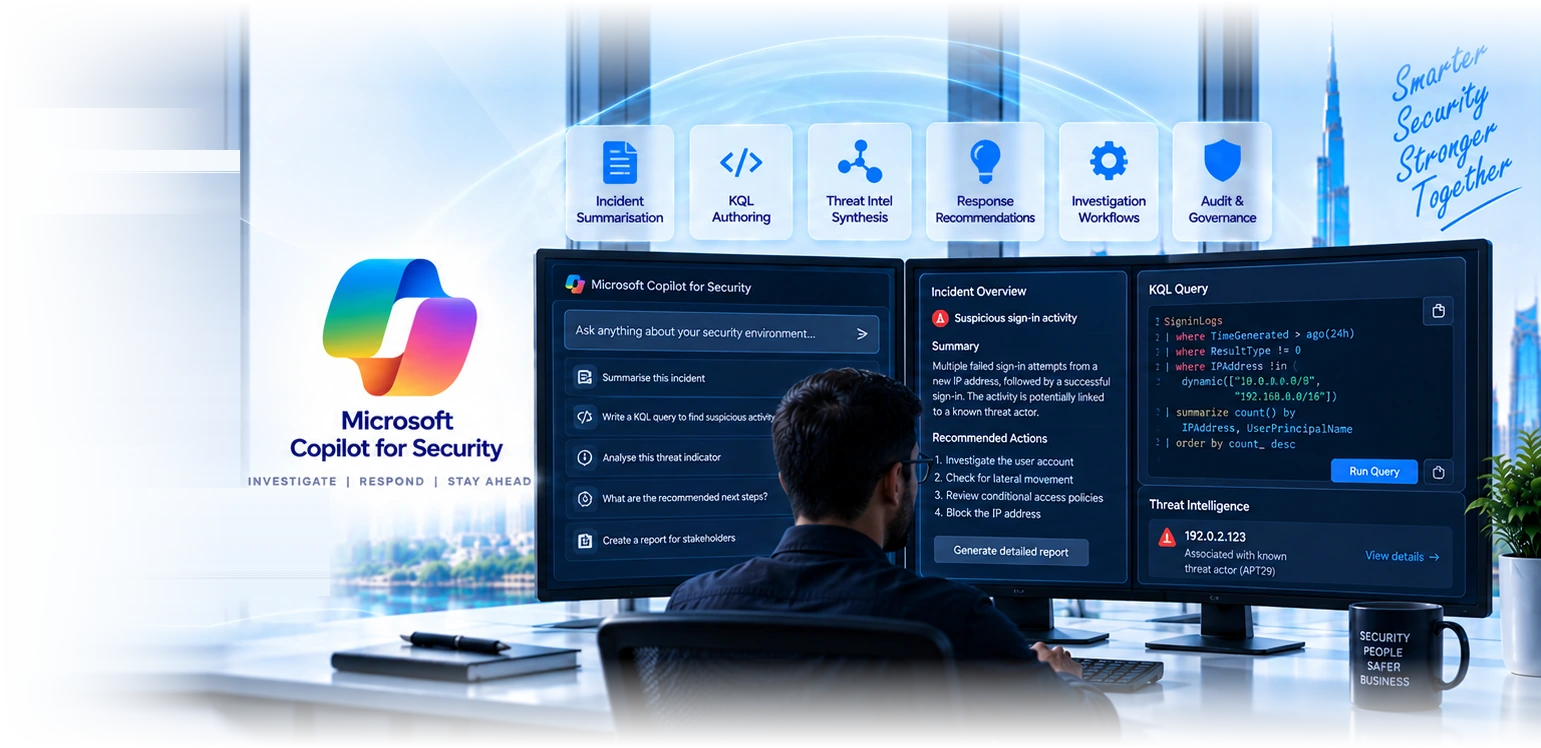
Copilot for Security accelerates analysts: incident summarisation, KQL authoring, threat-intel synthesis, response-recommendation generation. We deploy with prompt libraries and integrate with your SOC workflow.

Incident summarisation

Multi-source incidents (Defender + Sentinel + Entra) summarised in natural language. Saves 30-60 minutes per major incident on documentation, briefing, and stakeholder communications.

KQL authoring

Natural-language to KQL translation: ask "show me failed sign-ins from new IPs in the last 24 hours" and get the working query. Useful for analysts learning KQL or accelerating senior queries.

Threat-intel synthesis

Threat-actor research, IOC analysis, malware family characterisation. Pulls from Microsoft Threat Intelligence and your tenant data simultaneously.

Response recommendations

For each incident, suggested next actions with rationale. Speeds Tier-1 triage; senior analysts review and approve. Audit trail captures what was suggested and what was done.

Investigation workflows

Custom prompts and workflows for your specific industries and threat profile. Library of validated prompts for common investigation patterns.

Audit and governance

Every Copilot interaction logged in Purview. Sensitive prompts and responses subject to data-protection policies. Compliance-ready evidence chain.

Before you buy capacity

Copilot for Security is an accelerator, not a security programme.

We have been asked to review several UAE deployments where the licence was bought ahead of the fundamentals, and the pattern is consistent enough to be worth stating plainly. It multiplies what you already have. Multiplying very little produces very little.

  • It needs telemetry to reason over. Its value comes from Defender XDR, Entra, Purview and Sentinel signal. In a tenant where Defender is licensed but not deployed, where sign-in logs are at default retention, and where nobody has configured Sentinel, there is simply not enough data for it to say anything useful about your environment.
  • It needs somebody performing investigations. It compresses the work an analyst would have done. If no one is triaging alerts today, there is no work to compress, and the honest recommendation is a managed SOC first so that there is a person and a process for it to accelerate.
  • It needs the basics closed first. If MFA is incomplete, legacy authentication is still enabled and privileged accounts hold standing access, spending on an investigation accelerator is optimising the wrong end of the problem. Prevention beats faster investigation of preventable incidents, every time.
  • Where it genuinely pays back is a team already doing the work: triage time falls, junior analysts close investigations that would previously have escalated, and reporting stops being the thing nobody has time for. If that describes you, the business case is real and measurable. If it does not yet, we will tell you what to do first.
Ask for an honest readiness view
Why GR IT for Copilot Security

Four reasons clients pick us for the deployment.

Copilot for Security is new; effective deployment requires deep Defender XDR and Sentinel knowledge alongside Copilot prompt-engineering discipline.

50+ Sentinel tenants

Pattern recognition matters. Copilot Security needs Defender XDR and Sentinel as foundation. We have built KQL detection libraries across financial services, healthcare, and retail.

Prompt engineering discipline

Validated prompt libraries for common SOC workflows. Custom prompts for your industry threat profile. Prompt-library version-controlled and tested.

SOC workflow integration

Copilot integrated into existing SOC workflows, not bolted on. Tier-1 vs Tier-2 vs IR engineer prompt access controlled, with handover patterns documented.

Dubai-based SOC

Senior SOC analysts based in Dubai deploy and operate Copilot for Security. Same team that writes KQL detections also engineers the prompt libraries.

Industries using Copilot for Security

Copilot Security deployments by sector.

Six sectors where Copilot for Security accelerates SOC operations.

Financial services

DIFC and ADGM-licensed firms using Copilot for Security to accelerate regulator-required incident response, audit-trail evidence summarisation.

Tech and SaaS

SaaS companies using Copilot to summarise SaaS-app incidents, accelerate threat-hunting queries against application logs.

Healthcare

Hospitals and medical groups using Copilot for PHI-aware incident summarisation, ransomware containment acceleration.

Professional services

Law firms using Copilot for matter-confidential incident analysis, client-data protection investigation.

Critical infrastructure

Utilities and large operators using Copilot for OT/IT incident analysis, NESA-aligned response evidence.

Managed-security clients

Our managed-SOC clients benefit from Copilot acceleration, faster response, more thorough documentation, audit-trail strengthening.

Copilot for Security vs SOC without AI

What Copilot adds to a working SOC.

Copilot for Security accelerates analysts; it does not replace them. The honest comparison:
Incident-summary writing time
Working SOC, no AI30-60 min
Copilot-augmented SOC5-10 min
KQL query authoring (junior analyst)
Working SOC, no AISlow, error-prone
Copilot-augmented SOCFaster, validated
Threat-intel synthesis
Working SOC, no AIManual research
Copilot-augmented SOCAccelerated
Tier-1 triage throughput
Working SOC, no AIBaseline
Copilot-augmented SOC40-60% higher
Senior analyst time on documentation
Working SOC, no AIHigh
Copilot-augmented SOCLow
Audit-trail completeness
Working SOC, no AIVariable
Copilot-augmented SOCConsistent
Per-analyst cost (mid-size SOC)
Working SOC, no AIBaseline
Copilot-augmented SOC+$X/month, ROI on triage
Feature
Working SOC, no AI
Manual workflows
Copilot-augmented SOC
AI-accelerated
Incident-summary writing time
30-60 min5-10 min
KQL query authoring (junior analyst)
Slow, error-proneFaster, validated
Threat-intel synthesis
Manual researchAccelerated
Tier-1 triage throughput
Baseline40-60% higher
Senior analyst time on documentation
HighLow
Audit-trail completeness
VariableConsistent
Per-analyst cost (mid-size SOC)
Baseline+$X/month, ROI on triage
How a deployment runs

From SOC workflow assessment to managed Copilot operations.

Every Copilot for Security engagement runs the same path. Documented, evidenced, deliverable on a fixed timeline.
  1. 1

    Workflow assessment

    1-2 weeks

    SOC workflow audit, Defender XDR and Sentinel posture, analyst skill assessment. Output: deployment plan and prompt-library scope.

  2. 2

    Deployment

    3-5 weeks

    Copilot enabled, integration with Defender XDR and Sentinel validated, prompt libraries deployed, analyst training delivered.

  3. 3

    Validation

    1-2 weeks

    Prompts tested against historic incidents, accuracy validated, adoption metrics established.

  4. 4

    Operate

    Continuous

    Quarterly prompt-engineering reviews, ongoing prompt-library updates, analyst adoption tracking, monthly value reports.

“Our SOC was drowning in Tier-1 triage. We deployed Copilot for Security with the prompt libraries GR IT built for our threat profile, and our junior analysts handle 50% more incidents per shift with better documentation. Senior analysts get to the high-context investigations faster. The ROI was clear in month two.”
Saif Al Marri
SOC Manager · Mid-market financial services group
Tier-1 triage throughput up 50%
Common questions

Microsoft Copilot for Security, frequently asked.

For maximum value, yes. Copilot for Security pulls context from Defender XDR (alerts, incidents, hunting), Sentinel (logs, KQL, workbooks), Entra ID (identity), Intune (devices), Purview (audit). Without these, Copilot has limited context to summarise from.

Security Compute Units (SCU) consumption-based: SCUs reserved hourly, scale per workload demand. Most clients land at 2-4 SCUs for daily SOC operations. Pricing is per-SCU per-hour.

Yes for KQL queries and Sentinel analytic rules. Analyst describes the detection in natural language; Copilot generates KQL. Senior analyst reviews and refines before deployment. Speeds detection development; does not replace analyst judgement.

Prompt libraries reviewed for accuracy, audit logs of every prompt and response, sensitive prompts subject to Purview policies. Senior analysts own the final response decision; Copilot suggests, analysts decide.

Microsoft's grounding architecture isolates prompts from data sources. We supplement with prompt-library hardening and analyst training on adversarial-prompt awareness. No client deployment has experienced prompt-injection incidents.

Yes, that's often the highest-value use case. Junior analysts use validated prompts to handle Tier-1 work that previously required senior support. Senior analysts focus on high-context investigations, mentoring, and prompt-library development.

Native integration with Sentinel and Defender XDR. For Splunk-based SOCs, Copilot's value is reduced (Splunk-specific co-pilots from third parties may be a better fit). We assess in the workflow audit.

Yes. Common takeover work: prompt-library quality assessment, integration validation, adoption-tracking setup. Most takeovers complete in 2-3 weeks.

Usually not yet, and we will tell you that rather than sell it. Copilot for Security accelerates people who already know what they are doing: it compresses the investigation an analyst would have run anyway, summarises what would have taken them an hour of pivoting between consoles, and drafts the report they would have written. If nobody in your organisation is performing security investigations today, there is nothing to accelerate, and the money is far better spent on the controls that prevent incidents or on a managed SOC that provides the people. The organisations getting genuine value are those with at least one or two people doing security work regularly, or a managed provider using it on their behalf, which is how most of our clients consume it.

The honest version is that it collapses the tedious middle of an investigation. When an alert fires, an analyst normally spends the first half hour establishing context: what is this device, who is the user, what else did that account do, has this file been seen elsewhere, is this IP known, what changed recently. That work is mechanical, it spans several consoles, and it is where junior analysts lose the most time. Copilot assembles it into a summary in a couple of minutes, with the underlying data linked so you can verify rather than trust. It will also explain an unfamiliar script or command line, which matters because attackers deliberately obfuscate. What it does not do is decide. Containment, notification and the judgement about whether something is genuinely malicious stay with a person, and any deployment that blurs that is badly designed.

By treating it as a workflow change rather than a licence purchase, which is the difference between the deployments that stick and the ones we are later asked to review. Three things matter. First, a curated prompt library built around your actual recurring investigations rather than generic examples, so an analyst opens it knowing what to ask. Second, integration into where the work already happens, so it is present in the incident workflow instead of being another tab someone has to remember. Third, measurement: track which prompts get used, whether time to triage actually falls, and whether analysts are still using it in month three. If usage collapses after the first fortnight, that is a signal the prompts do not fit the work, and it is fixable, but only if somebody is looking.

Capacity is provisioned in security compute units billed hourly, and the cost model catches people out because it is capacity-based rather than per-query. That means idle provisioned capacity costs the same as busy capacity, and a large prompt consuming a lot of context can burn through units faster than expected. The practical controls are to start with a modest capacity and measure real consumption before scaling, to schedule capacity around your actual working pattern rather than leaving it provisioned around the clock if your team does not work around the clock, to train analysts that a well-scoped prompt is cheaper as well as more useful than a vague one, and to review consumption monthly against value delivered. We model expected consumption during scoping and revisit it after the first month, because the first month is always different from the estimate.

No, and this is the first question every UAE compliance officer asks, so it is worth being precise. Microsoft states that customer data processed by Copilot for Security is not used to train foundation models, and your prompts and the data they touch remain within your tenant boundary under your existing Microsoft 365 and Azure commitments. That said, the answer your auditor wants is not our summary of a vendor statement, it is the documented data-handling position with the residency detail for your specific configuration. We produce that as part of deployment, covering where processing occurs, what is retained, for how long, and how it maps to your obligations under PDPL or your sector regulator. For DFSA and ADGM clients that document tends to be the actual deliverable that unblocks approval.

It handles Arabic prompts and produces Arabic output, and in a UAE security team that matters more than people expect. The realistic pattern in our clients is a technical team working in English and stakeholders, executives, legal and sometimes the regulator-facing compliance function, who are more comfortable in Arabic. Being able to generate an incident summary for leadership in Arabic without a translation step removes a genuine delay at exactly the moment when communication speed matters. Technical accuracy in translation is worth checking rather than assuming, particularly for specialist terminology, so we validate the output on your own past incidents during the pilot rather than taking it on faith.

Start with what you already run properly rather than connecting everything available, because an integration into a poorly configured source produces confident answers built on incomplete data, which is worse than no answer. The sensible first connections are Defender XDR if you use it, since that is where endpoint and identity signal already lives, then Entra ID for identity context, then Sentinel if you have it as the wider log estate. Threat intelligence adds useful enrichment. Third-party connectors are worth adding once the Microsoft-native picture is solid. The sequencing principle is that each connection should answer a question your analysts actually ask during investigations, and if you cannot name that question, the connector is not urgent.

It changes what a given number of people can cover, which is not the same as replacing them, and we would be cautious about any business case built on headcount reduction. What the deployments we run actually deliver is faster triage, more consistent investigation quality between senior and junior analysts, and better documentation, because the summary is generated rather than written at the end of a long shift. That means the same team handles more alerts and handles them more evenly. What it does not provide is coverage at 3am, judgement about business impact, or the accountability of somebody whose job it is to act. If your gap is out-of-hours coverage, the answer is a managed SOC, and Copilot then makes that SOC more effective rather than substituting for it.

Agree the measures before deployment, because retrofitting them is how organisations end up arguing about value with no evidence. The ones that hold up are mean time to triage an alert, which should fall noticeably and is the clearest signal; the proportion of investigations completed by junior analysts without escalation, which measures whether it is genuinely levelling capability; prompt usage by analyst over time, which catches abandonment early; and report or summary production time, which is where a lot of the quiet saving sits. We baseline all four before turning it on, because comparing against a remembered impression of how long things used to take is not a measurement. Reviewing them at thirty, sixty and ninety days catches the drop-off pattern while it can still be corrected.

Then this is probably not your first move, and we would say so rather than force the fit. Copilot for Security derives most of its value from the depth of Microsoft security telemetry: Defender XDR, Entra, Purview and Sentinel. In an estate where identity, endpoint and email security come from other vendors, you are paying for an assistant whose best data sources you do not have. It can still ingest third-party signal, and there are mixed estates where it earns its place, but the honest position is that the value curve is much steeper for organisations already committed to the Microsoft security stack. If you are not, the better conversation is about what your detection and response capability looks like overall, and we are happy to have that one instead.

Yes, and we would push you towards a trial rather than a full rollout in almost every case. The arrangement that produces a useful decision is a small pilot on your own real alerts, with the two or three analysts who would actually use it day to day, running for three to four weeks with the baseline measurements captured beforehand. Curated demonstrations on sample data tell you the product works, which was never in doubt, and tell you nothing about whether it helps your team on a busy afternoon with your alert mix. At the end of the pilot the numbers either show a fall in triage time and fewer junior escalations or they do not, and either outcome is worth knowing before you commit to annual capacity. We have had pilots conclude with a recommendation not to proceed yet, and that is a legitimate result rather than a failure.

Silence is not permission, and for DFSA, FSRA and DESC-regulated clients we treat the absence of explicit guidance as a reason to document the position carefully rather than to assume it is unremarkable. The questions a supervisor is likely to ask, whenever they get around to asking, are predictable: what data does the tool process, where does that processing occur, is any of it retained, who can access the outputs, what decisions is it permitted to influence, and what human control sits over those decisions. All six are answerable in advance and none of them are difficult once the deployment is designed with them in mind. We write that into a short position paper at deployment, so that if the question arrives during a review you are producing an existing document rather than constructing an argument under time pressure. Several clients have found the same paper useful for customer security assessments, which increasingly ask about AI tooling.

Two to four weeks to a working pilot and six to eight to steady state, and almost none of that is technical setup. Provisioning capacity and connecting the core Microsoft sources takes days. The time goes on the work that determines whether it sticks: building a prompt library around your recurring investigation types, integrating it into how your team actually handles incidents, running a pilot on real alerts with the analysts who will use it, and establishing the baseline measurements. We deliberately keep the pilot small and real rather than broad and demonstrative, because a demo on curated data tells you nothing about whether it helps at 2pm on a busy Tuesday.

It will, occasionally, and designing for that is part of a responsible deployment rather than an embarrassing edge case. Generative systems produce confident output regardless of confidence, so the guard is procedural: every Copilot output links to the underlying data, and the standing instruction to analysts is that the summary is a starting point to verify rather than a conclusion to act on. Containment and notification decisions require a human to have looked at the source evidence. We build that into the runbook and into the training rather than relying on people remembering. The risk we watch for most is not a dramatic wrong answer, it is quiet over-reliance, where an analyst stops checking because it has been right for a month. Periodic spot-checking of Copilot-assisted investigations catches that.
Readiness

Are you ready for Copilot for Security?

Work down the groups in order. If the first group is not largely true, do that work before buying capacity. We would rather have this conversation at the scoping call than at the ninety-day review.

Foundations that must be in place first

  • MFA enforced on every account including administrators
    Prevention before faster investigation of preventable incidents.
  • Legacy authentication blocked
    One policy, closes the most abused path into a tenant.
  • Defender deployed and actually reporting, not just licensed
    Licensed and unconfigured is the most common finding we make.
  • Sign-in and audit log retention extended beyond default
    Investigation needs history. Default retention is short.

Signals that you will get value

  • Somebody triages security alerts as a regular part of their job
    There has to be work to accelerate.
  • You have a mix of senior and junior analysts
    The levelling effect on junior capability is where most of the measurable gain sits.
  • Investigations currently take longer than you would like
    Baseline it now so the improvement is provable later.
  • You are already committed to the Microsoft security stack
    The value curve is far steeper here than in a mixed estate.
  • Reporting to leadership is a recurring burden
    Summary generation is a quiet but substantial saving.

Decide these before deployment, not after

  • What capacity do you start with, and who reviews consumption monthly?
    Capacity is billed hourly whether used or idle.
  • Which four measures define success, baselined beforehand?
    Triage time, junior escalation rate, prompt usage, reporting time.
  • Who owns the prompt library and keeps it current?
    An unmaintained library is why deployments are abandoned by month three.
  • What is the standing rule on acting from a Copilot summary?
    Verify against the linked source before containment or notification. Write it into the runbook.
Further reading

Resources for SOC leads.

Microsoft Sentinel

SIEM and SOAR foundation that Copilot for Security accelerates. KQL detection engineering, automated response, managed SOC operations.

Learn more

Microsoft Defender

Defender XDR provides the alerts and incidents Copilot for Security summarises. Endpoint EDR, identity, email, cloud-app coverage.

Learn more

Cybersecurity audit

Independent SOC posture audit. Detection coverage review, prompt-library validation, written remediation programme.

Learn more
Ready to accelerate your SOC?

Talk to a SOC AI specialist.

Three-minute form. Our security team gets back the same business day to schedule a discovery call. We will tell you whether your SOC has the foundation for Copilot for Security to deliver value.

Get a quoteSee Microsoft Sentinel

Related Services

Explore more solutions that work great with this service

AI Data Security Posture

Copilot readiness and control of shadow AI use

Learn more

Microsoft Sentinel

Cloud-native SIEM and threat intelligence

Learn more

Microsoft Defender

Advanced endpoint and email threat protection

Learn more

Cybersecurity Audit

Security assessment and compliance audit

Learn more

Microsoft Entra

Identity and access management solutions

Learn more
GR IT SERVICES

Leading IT services provider in Dubai,
delivering enterprise-grade solutions
for businesses across the UAE.

Microsoft CSP PartnerCISGuard

Get the Helpdesk app

Raise and track IT tickets from your phone.

Download on the App StoreGet it on Google Play
Learn more about the app

Microsoft 365

  • Microsoft 365 Administration
  • M365 Reporting & Auditing
  • Microsoft 365 Licensing
  • Microsoft Copilot
  • Microsoft 365 Apps
  • Windows 365 Cloud PC
  • Microsoft SharePoint
  • Outlook & Exchange

Security

  • Microsoft Defender
  • Microsoft Purview
  • Microsoft Intune
  • Microsoft Entra
  • Compliance Manager
  • Cybersecurity Audits
  • Copilot for Security
  • Microsoft Sentinel
  • Microsoft Priva

Infrastructure

  • Google Workspace
  • Cloud Migration Services
  • Data Analytics & BI
  • Active Directory
  • Server Management
  • Apple Business
  • Apple Jamf Pro
  • IP Telephone
  • Data Backup
  • Website Development

IT Services

  • Managed IT Services
  • IT Support Dubai
  • IT AMC Dubai
  • New Office IT Setup
  • IT Relocation
  • Remote IT Support
  • On-Call IT Support
  • Startup IT Business Kit
  • Disaster Recovery & BC

Company

  • About Us
  • Careers
  • Contact
  • Blog

Contact

  • Iris Bay Tower, Office 903,
    Business Bay, Dubai, UAE
  • +971 56 613 2743
  • hello@gritservices.ae
  • gritservices.ae

© 2026 GR IT Services. All rights reserved.

Privacy PolicyTerms of UseCookie Policy