We value your privacy

We use cookies to analyse site traffic and improve your experience. You can accept all cookies or reject non-essential ones. See our Privacy Policy for details.

GR IT SERVICES
  • Contact
Get a quote
  1. Microsoft 365 & Productivity
  2. M365 Reporting & Auditing
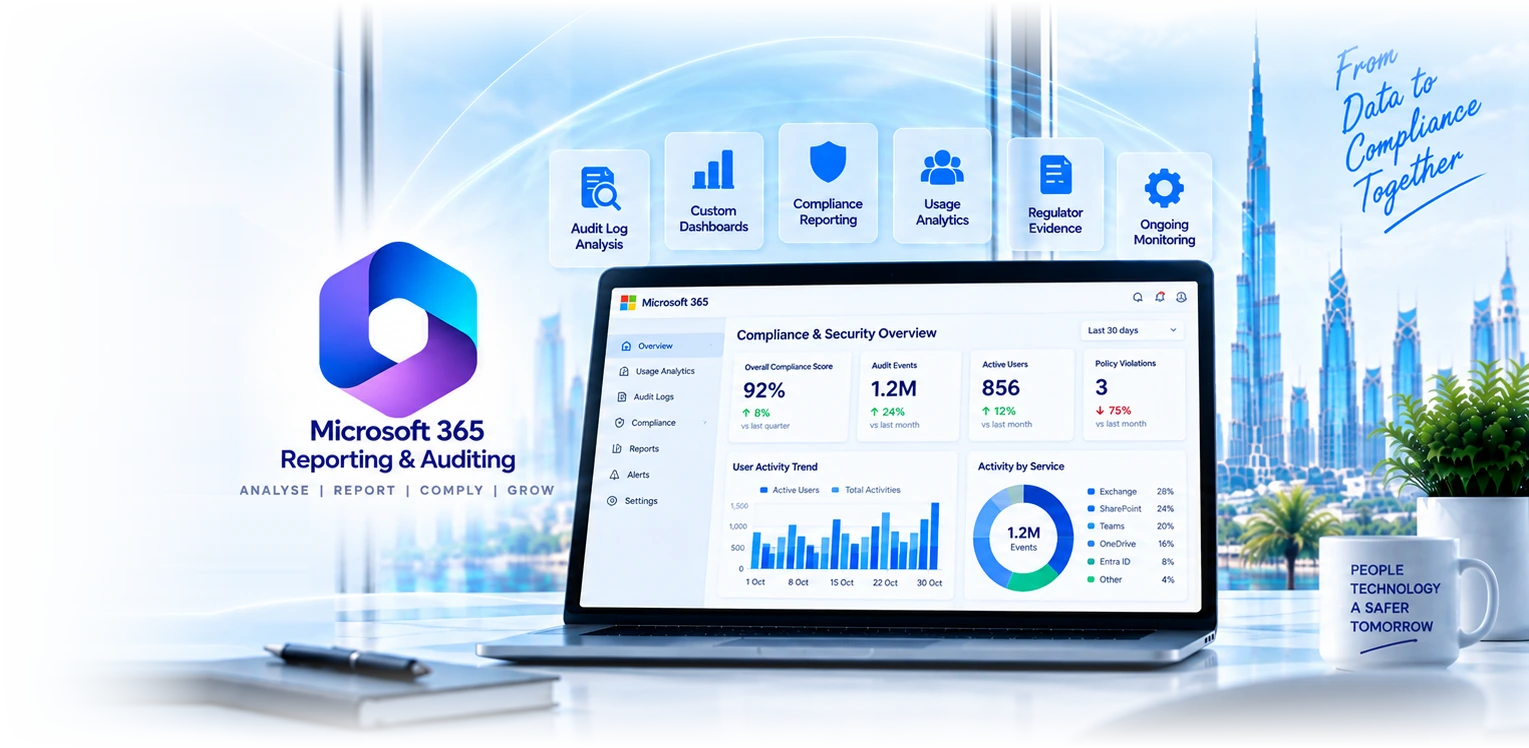
Microsoft 365 Reporting & Auditing

M365 reporting that answers the regulator's question.

Audit-log analysis, compliance reporting, usage analytics, custom dashboards, and regulator-evidence packaging. We build M365 reporting workflows for 40+ businesses with audit-ready documentation.

Get a reporting quoteSee capabilities
Microsoft
Microsoft
365 Reporting
Cloud Solution Partner
  • 40+Reporting tenants
  • AuditReady evidence
  • CustomPer-regulator
  • 24/7Coverage
Microsoft 365 reporting
What an engagement covers

Six reporting and auditing disciplines.

M365 audit data is comprehensive but raw. The work is turning it into reports your regulator, board, or operations team will read.

Audit-log activation

Unified Audit Log enabled, retention extended, audit-log streaming to SIEM where appropriate. Mailbox auditing per-user activated.

Custom reporting

Custom dashboards in Power BI for adoption metrics, security posture, compliance scoring. Refresh schedules tuned to stakeholder cadence.

Regulator evidence packages

Pre-packaged evidence sets for ISO 27001, NESA, DFSA, ADGM, GDPR. Documented control mappings and audit-trail extracts ready for review.

Compliance scoring

Microsoft Compliance Manager configured, framework templates activated, scoring tracked over time, gap remediation prioritised.

Usage analytics

M365 adoption tracking, application-by-application usage, low-adoption-team flags, Copilot usage analytics, ROI-tracking dashboards.

Insider risk reporting

Insider risk dashboards, departing-employee reports, sensitive-data movement reports, anomaly trends. Surfaces what compliance leaders need to know.

Three pillars of M365 oversight

Reporting, auditing, and health monitoring under one platform.

Most M365 reporting tools cover one of these three pillars well. We build the engagement so all three feed each other: usage informs auditing, auditing informs health, health informs reporting.

Reporting

Detailed reports across every M365 service: Exchange, Entra ID, OneDrive, Teams, SharePoint. Custom Power BI dashboards stakeholders can read without IT translation.

  • Exchange Online: mailbox sizing, mail flow, OWA activity, public folders
  • Entra ID: user/group visibility, licence assignments, sign-in logs
  • OneDrive: file access, modification history, sharing, sync
  • Teams: channel events, logon activity, meeting participation
  • SharePoint: site analytics, document usage, permissions, search
  • Usage analytics, licence utilisation, cost optimisation

Auditing

Complete audit trail across admin and user activity, with retention extended past defaults and evidence-package automation for ISO 27001, NESA, DFSA, ADGM reviews.

  • Admin activity monitoring across all services
  • User behaviour analytics and tracking
  • Permission, role, and licence change history
  • File operations: create, modify, delete, share
  • Mailbox access, delegation, and impersonation logs
  • Compliance report generation and export

Health Monitoring

24/7 monitoring of M365 services and endpoints with real-time alerts and historical data. Detect outages and anomalies before users open tickets, in some cases before Microsoft posts to the service-health dashboard.

  • Service-health monitoring across Exchange, Entra, Teams, SharePoint
  • Endpoint availability and performance tracking
  • Real-time email alerts on outages and incidents
  • Granular incident details with affected-user counts
  • Historical data older than the 30-day Microsoft default
  • Graphical illustrations of health and performance trends
Why GR IT for reporting

Four reasons clients pick us for the workflows.

M365 reporting is operational analytics work. Building dashboards that nobody reads is failure. We design for the question that needs answering.

40+ reporting tenants

Pattern recognition matters. We have built reports for ADGM, DFSA, ISO, and NESA reviews. We know which questions auditors ask.

Power BI fluency

Custom dashboards designed in Power BI, refresh-aware, role-based access. Same team that builds dashboards for service-line clients also builds compliance reporting.

Framework expertise

Engineers with ISO 27001 LA, CIPP, and CISM credentials. Reports designed against framework controls, not generic templates.

Dubai-based engineers

Senior compliance and BI engineers based in Dubai. Understand the local regulator landscape and the reports that satisfy review.

Powerful management capabilities

Three workstreams of M365 management features.

Reporting answers "what happened"; management answers "do something about it". The same platform that reports on your tenant lets your team act in bulk, with audit trails on every action.

Exchange Online Management

Bulk mailbox operations, SMTP address modification, and mailbox-feature configuration without PowerShell scripts. Audited, repeatable, delegatable to help desk.

  • Enable / disable mailboxes in bulk via CSV
  • Modify primary SMTP and proxy addresses
  • Set IMAP, POP, MAPI, OWA, EWS access per user
  • Single or group mailbox configuration
  • Mail-flow validation and routing checks

Entra ID Management

Block / unblock users individually or in bulk, delete or restore Entra ID accounts within the 30-day soft-delete window, manage groups and licence assignments at scale.

  • Block / unblock users individually or in bulk
  • Delete or restore user accounts (preserve data)
  • Bulk operations via CSV import
  • Group and security-group lifecycle management
  • Licence assignment and reclamation workflows

Office 365 Automation

Event-driven automation policies that chain tasks together when triggers fire. Scheduled task execution for routine ops; admin-activity audit on every automated action.

  • Scheduled task execution without manual touch
  • Event-driven workflows with multi-step chains
  • Time-based and conditional automation logic
  • User-provisioning and mailbox-management workflows
  • Detailed audit trail of every automated action
Industries using our reporting

Reporting workflows by sector.

Six sectors where we build M365 reporting tailored to the regulator and the operating model.

Financial services

DIFC and ADGM-licensed firms with regulator-required quarterly reporting, audit-trail extracts, control-evidence packages.

Healthcare

Hospitals and clinics with DHA-compliant reporting, PHI access auditing, retention-evidence packaging.

Professional services

Law firms and consultancies with matter-based access reports, ethical-wall evidence, client-data handling reports.

Tech and SaaS

SaaS companies with SOC 2 Type 2 reporting workflows, audit-evidence automation, customer-trust dashboards.

Retail and operations

Retail groups with PCI DSS evidence, multi-store usage analytics, executive operational dashboards.

Education

Schools and universities with KHDA/MOE reporting, student-data audit, parent-portal access reports.

Perfect for

Who actually needs engineered M365 reporting.

Not every M365 tenant needs custom reporting. These four roles do, and they typically arrive at the same time, before a regulator visit or after a security incident.
  • IT administrators

    Simplify complex M365 management with centralised control, bulk operations, and delegation.

  • Compliance officers

    Generate compliance reports and maintain audit trails for ISO 27001, NESA, DFSA, ADGM, GDPR.

  • Security teams

    Monitor security events, track suspicious activity, respond to threats with full audit history.

  • Enterprise organisations

    Manage large-scale M365 deployments with advanced reporting, automation, and cross-tenant aggregation.

Engineered reporting vs ad-hoc M365 admin centre

Why dedicated reporting beats clicking through admin centre.

M365 admin centre has built-in reports; they're fine for casual use. The honest comparison for compliance work:
Custom date ranges
M365 admin reportsLimited
Engineered reportingAny range
Cross-tenant aggregation
M365 admin reports
Engineered reporting
Automated refresh
M365 admin reports
Engineered reporting
Regulator-specific framing
M365 admin reports
Engineered reporting
Historical trend analysis
M365 admin reports90 days
Engineered reportingMulti-year
Stakeholder-tailored views
M365 admin reports
Engineered reporting
Audit evidence chain
M365 admin reportsManual export
Engineered reportingAutomated package
Feature
M365 admin reports
Built-in
Engineered reporting
Custom, refreshed
Custom date ranges
LimitedAny range
Cross-tenant aggregation
Automated refresh
Regulator-specific framing
Historical trend analysis
90 daysMulti-year
Stakeholder-tailored views
Audit evidence chain
Manual exportAutomated package
Measurable reporting impact

Six numbers our reporting workflows deliver.

Numbers from our 40+ engineered-reporting client portfolio. Averages from 12-month managed engagements covering ADGM, DFSA, ISO 27001, and NESA reviews.
100%
Complete visibility

Across Exchange, Entra ID, Teams, SharePoint, OneDrive activity with full audit trail extension.

99.9%
Enhanced security

Coverage of admin and user activity for security-incident investigation and audit evidence.

100%
Audit-ready

Frameworks tracked end-to-end against ISO 27001, NESA, DFSA, ADGM, GDPR, PCI DSS, HIPAA controls.

70%
Time savings

Reduction in compliance-evidence assembly time vs manual admin-centre exports and spreadsheets.

50%
Cost optimisation

Licence-utilisation analytics surface unused or duplicated licences for reclamation.

24/7
Proactive monitoring

Service-health, endpoint, and tenant-health alerts before users open the helpdesk ticket.

Office 365 Help Desk Delegation

Delegate admin rights without giving away the keys to the tenant.

Most M365 tenants either have ten Global Admins or two; neither is right. Help-desk delegation lets you assign granular roles (password resets, account unlocks, mailbox feature toggles) to trusted technicians, scoped by tenant or domain, with full audit trails on every action they take.

  • Cross-tenant delegation for organisations with multiple M365 tenants
  • Domain-based delegation for multi-domain tenants
  • Technician audit log: every Active Directory object created, modified, deleted
  • Security delegation for password resets, account unlocks, user blocking
  • Non-admin delegation for trusted users to handle low-risk tasks
  • Customised roles combining management, reporting, auditing, alerting
See help-desk delegation roles
Powerful management capabilities

Eight features your IT team can act on, not just read.

Reporting answers "what happened"; management lets your team act on the answer. Two groups, four features each, every action audited end-to-end.

Operations

  • Bulk operations
    CSV-driven user, mailbox, and licence management without PowerShell scripts.
  • User management
    Block, unblock, delete, restore Entra ID accounts individually or in bulk.
  • Automation policies
    Event-driven and scheduled workflows that chain tasks together.
  • Role-based access
    Granular delegation by tenant, domain, or service with full audit log.

Insights

  • Alert management
    Custom alert rules across services, with escalation and routing per stakeholder.
  • Capacity planning
    Mailbox, OneDrive, and SharePoint sizing trends to forecast storage growth.
  • Compliance reporting
    Pre-packaged evidence sets per framework (ISO, NESA, DFSA, GDPR).
  • Data export
    Scheduled exports to CSV, Excel, Power BI, or SIEM for downstream analytics.
How an engagement runs

From stakeholder workshop to managed reporting.

Every reporting engagement runs the same path. Documented, evidenced, deliverable on a fixed timeline.
  1. 1

    Discovery

    2 weeks

    Stakeholder workshops, regulator-mapping audit, current reporting state. Output: dashboard inventory and evidence-package design.

  2. 2

    Build

    4-6 weeks

    Audit-log activation, dashboards designed and built in Power BI, evidence-package automation, Compliance Manager configured.

  3. 3

    Validate

    1 week

    Reports validated against historical data, stakeholder UAT, refinements applied, refresh schedules tested.

  4. 4

    Operate

    Continuous

    Quarterly framework reviews, ongoing dashboard tuning, regulator-driven evidence updates, audit-evidence kept current.

“Our DFSA review asked for evidence of mailbox-access auditing across the past two years. We had unified audit log enabled but never built proper reporting. GR IT spent four weeks building a custom Power BI dashboard with retention extracts, and we had the evidence ready the next morning. The auditor specifically commented on the quality of our documentation.”
Dr. Hala Al Tamimi
Chief Risk Officer · DFSA-licensed asset manager, DIFC
DFSA review answered with full audit-trail evidence
Common questions

M365 Reporting & Auditing, frequently asked.

Default 90 days for unified audit log; extended to 1 year with E5 Compliance and configurable up to 10 years for specific record types. We activate retention as part of the engagement and document the retention policy for your auditor.

Yes via Power BI cross-tenant queries or audit-log streaming to a unified SIEM. Common for client-services firms managing multiple client tenants, or large organisations with multi-tenant architectures.

Compliance Manager has 200+ regulatory templates including ISO 27001, NESA, DFSA, ADGM, GDPR, HIPAA, PCI DSS. We activate the templates relevant to your regulator and customise as needed.

Per-user Pro for analyst access, Premium per-user (PPU) for some advanced features, Premium per-capacity for large stakeholder distribution. We model the right Power BI licence tier in the discovery.

Yes via Power BI web parts. Dashboards embedded in stakeholder SharePoint sites with role-based filtering. Useful for executive teams who don't want to navigate Power BI separately.

Indicators: regulator review approaching, multi-tenant aggregation needed, multi-year trend analysis required, audit-evidence packaging time-consuming, stakeholders requesting custom views. M365 admin centre serves casual reporting; engineered reporting serves operational analytics.

Yes. Common takeover work: dashboard tuning, retention extension, framework template activation. Most takeovers complete in 3-4 weeks.

For clients on Sentinel, we stream M365 audit logs to Sentinel for advanced analytics, anomaly detection, and SIEM-grade correlation. Power BI dashboards complement Sentinel for stakeholder-friendly reporting.

The regulator is only one of the parties who will eventually ask, and usually not the first. Enterprise customers running supplier security assessments ask the same questions and increasingly make contracts conditional on the answers. Cyber insurers ask them at renewal and price accordingly. Banks ask during enhanced due diligence. Investors and acquirers ask during due diligence, and an inability to evidence access controls at that moment affects valuation rather than merely causing inconvenience. Beyond all of that, the internal case stands on its own: knowing who holds administrative access, what is being shared externally and which devices are non-compliant is basic operational awareness. Unregulated organisations tend to arrive at this work reactively, after a customer questionnaire they could not complete, and reactive is always more expensive.

Only if auditing was already switched on and the retention period covers the date in question, which is the uncomfortable part. Microsoft 365 audit logging records file access, sharing, permission changes, mailbox access, administrative actions and sign-ins, but the default retention is limited and it cannot be applied retrospectively. If somebody asks about an event from fourteen months ago and your retention was ninety days, the answer is that the record no longer exists, and there is nothing anyone can do about it at that point. This is why the first thing we check in an audit-readiness review is retention configuration rather than reporting capability. Extending retention costs licensing rather than effort, and it is the cheapest insurance in the entire compliance stack.

The baseline retention for most audit events is relatively short, longer for certain event types, and extendable through Audit Premium or add-on retention up to substantially longer periods including ten years for specific categories. What matters more than the exact figures, which Microsoft adjusts, is that you make a deliberate decision rather than inheriting a default. The question to ask is how far back a regulator, an insurer, a litigant or your own investigation might reasonably need to look, and for a DFSA or FSRA-supervised firm the answer is usually years rather than months. We check the current configuration, model the licensing cost of the retention you actually need, and where full retention is not affordable across the board we export the critical event categories to durable storage instead, which is a fraction of the cost.

The requests cluster into a predictable set, which is why building them once as repeatable reports beats assembling them each time. Privileged access: who holds administrative roles, when they were granted, and evidence of periodic review. Access recertification: proof that user access was reviewed and signed off, not merely that a list exists. External sharing: what left the organisation, to whom, and whether it was sanctioned. Sign-in anomalies: failed attempts, impossible-travel patterns, and legacy authentication use. Mailbox access by anyone other than the owner, which is a specific question in financial services. Data classification coverage. And change history for security-relevant configuration. We build these as standing reports so an information request becomes an export, and that shift is what turns audit season from a fortnight of work into an afternoon.

Use them where they suffice, and they often do for operational questions. The built-in reports are genuinely useful for usage, licensing and basic activity. Where they fall short is anything requiring history beyond the retention window, anything correlating across workloads, anything comparing against a baseline or a threshold, and anything that needs to be presented to a non-technical audience without interpretation. The other limitation is that they are point-in-time views rather than a record: you can see the state today, but not demonstrate what the state was in March when the auditor is asking. Engineered reporting exists to close those gaps, and the honest test of whether you need it is whether you have ever had to manually assemble a report from several consoles under time pressure.

Yes, and this is usually the highest-value part of the engagement because it converts reporting from retrospective to preventive. The changes worth alerting on are narrow and specific: a new global administrator being created, a mailbox forwarding rule to an external address, a conditional access policy being modified or disabled, a large volume of external sharing in a short period, a sign-in from a break-glass account, an administrative role being assigned outside change control, and mass download or deletion activity. Each of those is either a genuine incident or a legitimate action that somebody should have communicated. The design principle is a small number of high-signal alerts that a human reads every time, rather than a broad rule set that becomes background noise within a month.

Yes, and it is common in UAE holding structures where separate entities hold separate tenants for licensing, regulatory or historical reasons. Cross-tenant reporting consolidates the picture so group IT and the board see one view rather than reconciling several. The considerations worth settling early are data residency, since consolidating into one location may cross a boundary that matters for one of the entities, access control so that each entity sees its own data and only group functions see everything, and consistency of definitions, because entities frequently classify and name things differently and a consolidated report built on inconsistent definitions is worse than no report. We map those before building rather than discovering them at the first board presentation.

By reporting trend and exposure rather than activity, which is a different exercise from operational reporting. A board does not benefit from knowing how many sign-ins occurred; it benefits from knowing whether MFA coverage is complete and improving, how many privileged accounts exist and whether that number is falling, whether external sharing is trending up, how many devices are non-compliant and for how long, and whether identified risks are being closed or accumulating. Three or four measures with a direction of travel and a short narrative beats twenty charts. We build the board pack as a deliberately separate artefact from the operational dashboard, because trying to serve both audiences from one report reliably serves neither.

Increasingly it is the difference between a smooth renewal and an awkward one. Insurers now ask specific, verifiable questions: what proportion of accounts have MFA, is it phishing-resistant for administrators, how many privileged accounts exist, is there EDR on every endpoint, are backups tested and immutable, and how quickly are critical vulnerabilities remediated. Answering those from a maintained report rather than from memory produces both a faster process and a better outcome, because a precise answer supported by evidence reads differently from an approximate one. We have had clients use the same reporting pack for insurance renewal, a customer security assessment and a regulator information request in the same quarter, which is the point of building it once properly.

It happens, and the honest position is that you cannot recover the past, so the response is to fix the present quickly and be straightforward about the gap. Unified audit logging is enabled by default on newer tenants but has been found disabled in older ones or after a migration, and the first anyone notices is usually during an investigation when there is nothing to look at. The immediate actions are to enable it, extend retention to the period your obligations require, configure the alerting for high-risk changes, and document the date from which reliable records exist. If an auditor or investigator asks about an earlier period, saying clearly that logging was not enabled before a stated date is far better than producing partial data that implies more coverage than existed.

Three to six weeks for a full reporting and alerting build, and the pace depends mostly on how quickly we can agree what the reports need to say. Week one is requirements: who consumes each report, what decision it supports, and which obligations drive it. Week two covers configuration, enabling and extending audit retention and closing any logging gaps. Weeks two to four build the reports and dashboards, with a review cycle because the first version is never quite right. Weeks four to six configure alerting, tune out the noise, and hand over with documentation. What we need from you is a named owner per report who will actually read it, and access to whoever holds the compliance requirements, since building reports against assumed obligations is how you end up with beautiful dashboards nobody asked for.

Yes, and most clients take it that way because a report nobody produces has no value regardless of how well it was built. The managed arrangement covers producing and circulating the monthly pack, monitoring and triaging the high-signal alerts, keeping the reports current as Microsoft changes the underlying data and as your obligations change, refreshing the evidence pack quarterly so it is always audit-ready, and completing customer security questionnaires and insurer forms from the maintained data. The pattern we see with self-managed reporting is that it works well for two or three months and then degrades as the person who owned it gets busy, which is precisely when an information request tends to arrive.

Long enough to cover the questions you might realistically be asked, which for most regulated UAE firms means years rather than months. The practical way to decide is to work backwards from who asks: a regulator during a periodic review, an insurer at renewal, a customer running a supplier assessment, a litigant, or your own investigation after an incident discovered late. Incidents in particular are frequently found months after they began, and if your retention window closed before the relevant event you simply cannot answer. Where full retention across every event type is not affordable, we export the critical categories to durable storage instead, which costs a fraction and covers the questions that actually get asked.
Further reading

Resources for compliance and reporting leads.

Microsoft Purview

Data-protection platform that generates the audit data we report against. Sensitivity labels, DLP, retention, audit logging.

Learn more

Compliance Manager

Microsoft Compliance Manager scoring platform. Often deployed alongside engineered reporting for framework tracking.

Learn more

Microsoft Sentinel

SIEM platform for clients needing real-time threat detection alongside compliance reporting. Audit logs stream to Sentinel for unified analytics.

Learn more
Ready to build proper reporting?

Talk to a reporting specialist.

Three-minute form. Our compliance team gets back the same business day to schedule a discovery workshop. We will tell you which dashboards your stakeholders actually need.

Get a reporting quoteSee Microsoft Purview

Related Services

Explore more solutions that work great with this service

Microsoft Purview

Data governance and compliance solutions

Learn more

Compliance Manager

Regulatory compliance assessment tools

Learn more

Microsoft Sentinel

Cloud-native SIEM and threat intelligence

Learn more

Data Analytics & BI

Business intelligence and data analytics

Learn more
GR IT SERVICES

Leading IT services provider in Dubai,
delivering enterprise-grade solutions
for businesses across the UAE.

Microsoft CSP PartnerCISGuard

Get the Helpdesk app

Raise and track IT tickets from your phone.

Download on the App StoreGet it on Google Play
Learn more about the app

Microsoft 365

  • Microsoft 365 Administration
  • M365 Reporting & Auditing
  • Microsoft 365 Licensing
  • Microsoft Copilot
  • Microsoft 365 Apps
  • Windows 365 Cloud PC
  • Microsoft SharePoint
  • Outlook & Exchange

Security

  • Microsoft Defender
  • Microsoft Purview
  • Microsoft Intune
  • Microsoft Entra
  • Compliance Manager
  • Cybersecurity Audits
  • Copilot for Security
  • Microsoft Sentinel
  • Microsoft Priva

Infrastructure

  • Google Workspace
  • Cloud Migration Services
  • Data Analytics & BI
  • Active Directory
  • Server Management
  • Apple Business
  • Apple Jamf Pro
  • IP Telephone
  • Data Backup
  • Website Development

IT Services

  • Managed IT Services
  • IT Support Dubai
  • IT AMC Dubai
  • New Office IT Setup
  • IT Relocation
  • Remote IT Support
  • On-Call IT Support
  • Startup IT Business Kit
  • Disaster Recovery & BC

Company

  • About Us
  • Careers
  • Contact
  • Blog

Contact

  • Iris Bay Tower, Office 903,
    Business Bay, Dubai, UAE
  • +971 56 613 2743
  • hello@gritservices.ae
  • gritservices.ae

© 2026 GR IT Services. All rights reserved.

Privacy PolicyTerms of UseCookie Policy