Microsoft 365 Apps
Microsoft 365 Apps, deployed properly across the fleet.
Zero-touch deployment, managed updates, multi-language support and seamless configuration, so Office just works on every device, every time.
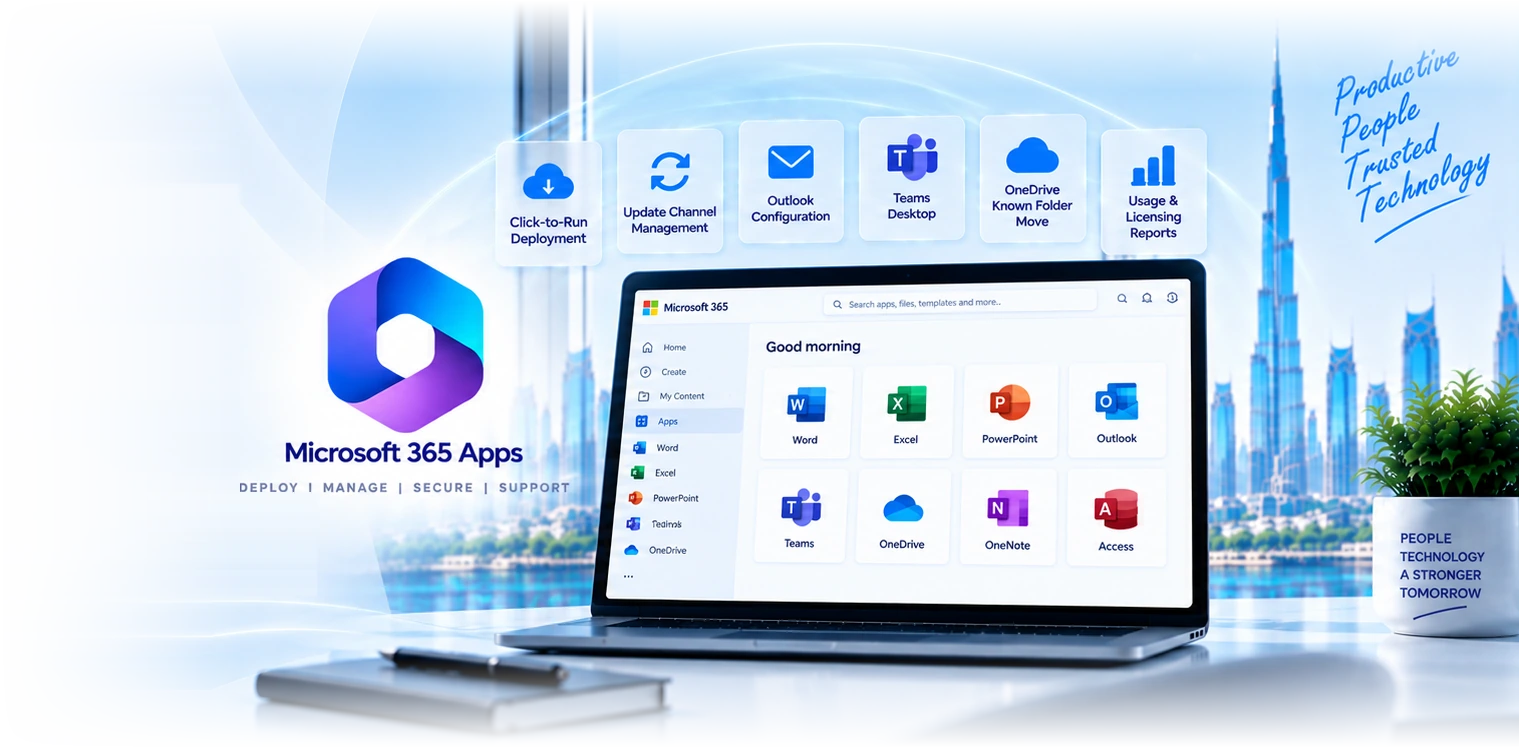

Six workstreams that make Office apps boring (in a good way).
Click-to-Run deployment
M365 Apps for enterprise deployed via ODT, Intune, or SCCM. Custom configuration XML, language packs, channel selection, signed-in defaults pre-configured.
Update-channel management
Current Channel for IT, Monthly Enterprise for the rest, Semi-Annual for regulated environments. Update rings tested in pilot before fleet rollout.
Outlook configuration
Auto-discover, signed-in defaults, MFA-aware, conditional-access compliant. Hybrid-mailbox configurations supported. Add-ins and shared mailboxes pre-configured.
Teams desktop
Teams desktop installation, sign-in defaults, meeting-app deployment, audio/video device pairing. Optimised for hybrid-work patterns.
OneDrive Known Folder Move
Documents, Desktop, Pictures redirected to OneDrive automatically. Reduces local-disk usage, enables true any-device experience, supports backup discipline.
Reporting and licensing
M365 Apps usage analytics, licence-utilization reporting, idle-licence reclamation. Right-size your spend, identify under-using teams for re-engagement.
Four reasons clients pick us for the deployment.
68+ M365 Apps tenants
Pattern recognition matters. We have rolled out M365 Apps across SMEs, regulated firms, and education. Common deployment quirks, common configuration traps.
Zero-touch deployment
Apps install via Intune or Autopilot at first sign-in. No re-imaging, no IT touch, no shipping back. Onboarding is one click, not a half-day.
Multi-language
Multi-language deployments are routine: English, Arabic, plus most major regional languages. Language-pack deployment automated, locale defaults configured.
Dubai-based engineers
Senior M365 engineers based in Dubai. Same team that deploys runs the help desk, so configuration knowledge stays with the support contract.
M365 Apps deployments by sector.
Professional services
Law firms, accountancies, consultancies. Document templates pre-configured, citation tools, comment-aware Word, PowerPoint themes for client work.
Financial services
DIFC and ADGM-licensed firms using M365 Apps with Excel/Word for analyst output, secure attachment handling, sensitivity-label-aware editing.
Healthcare
Healthcare admin and management offices using M365 Apps with PHI-aware sensitivity labels, secure document handling, retention enforcement.
Tech and SaaS
SaaS companies using M365 Apps as the productivity baseline alongside Slack, Notion, dev tools. M365 Apps integrated into single-sign-on.
Retail and operations
Retail and operations groups using M365 Apps for store-ops procedures, supplier-comms, executive reports, multi-store reporting.
Education
Schools and universities using M365 Apps for staff productivity, classroom resources, student-facing tooling. A1/A3/A5 SKUs supported.
Why most clients move off Office 2019/2021.
| Feature | Perpetual Office 2019/2021 One-time purchase | Microsoft 365 Apps Subscription |
|---|---|---|
Continuous feature updates | ||
Cross-device sign-in (5 devices/user) | ||
OneDrive integration | Limited | Native |
Teams integration | ||
Sensitivity-label editing | Limited | Full |
Total cost (3-year mid-market) | Higher (per-device perpetual) | Lower (per-user subscription) |
Copilot eligibility | Yes (with Copilot SKU) |
From fleet audit to managed M365 Apps operations.
- 1
Fleet audit
1 week
Inventory of devices, current Office state, licence audit. Output: deployment plan and configuration spec.
- 2
Pilot
1-2 weeks
Pilot group deployed with custom configuration. Issues triaged, configuration tuned, documentation finalised.
- 3
Rollout
2-4 weeks
Fleet deployment in waves by team. Help-desk preparation, communication to end users, on-the-ground support during cutover.
- 4
Operate
Continuous
Ongoing update-channel management, configuration changes, licence reporting, monthly fleet health review.
“We had M365 E3 licences for two years and Office on every laptop, but every laptop was different: different versions, different add-ins, different language packs, different update states. GR IT consolidated everything to a single managed M365 Apps deployment in three weeks. Now every laptop is identical, updates flow through a tested pilot ring, and our help-desk volume on Office issues dropped 60%.”
Microsoft 365 Apps, frequently asked.
Resources for M365 Apps leads.
Microsoft 365
The platform M365 Apps lives in. Tenant administration, identity, security baseline, app deployment as a single contract.
Microsoft Intune
Device-management platform for M365 Apps deployment. Autopilot enrollment, Intune deployment, configuration profiles.
Microsoft 365 Licensing
Licensing strategy and optimization. Right-size your licence mix, reclaim idle licences, plan upgrades to E3/E5/Copilot.
Talk to an M365 Apps specialist.
Tell us about device platforms, current Office versions, add-ins, macros and required update controls. We will confirm the requirements and proposed scope with you.
Related Services
Explore more solutions that work great with this service
Teams Rooms
Certified Teams meeting-room hardware
Microsoft 365
Complete Microsoft 365 setup, migration & support
Microsoft Intune
Device management and endpoint security
M365 Licensing
Optimize your Microsoft 365 licensing costs
Microsoft Copilot
AI-powered productivity with Copilot
Edge for Business
Enterprise browsing with security baselines applied