Apple Business Manager is now Apple Business
Apple Business Manager was discontinued in April 2026. Here is what replaced it and what you need to check.
Apple Business Manager, Business Essentials and Business Connect are now Apple Business. A single platform with device management, apps, identities and locations, available in the UAE.
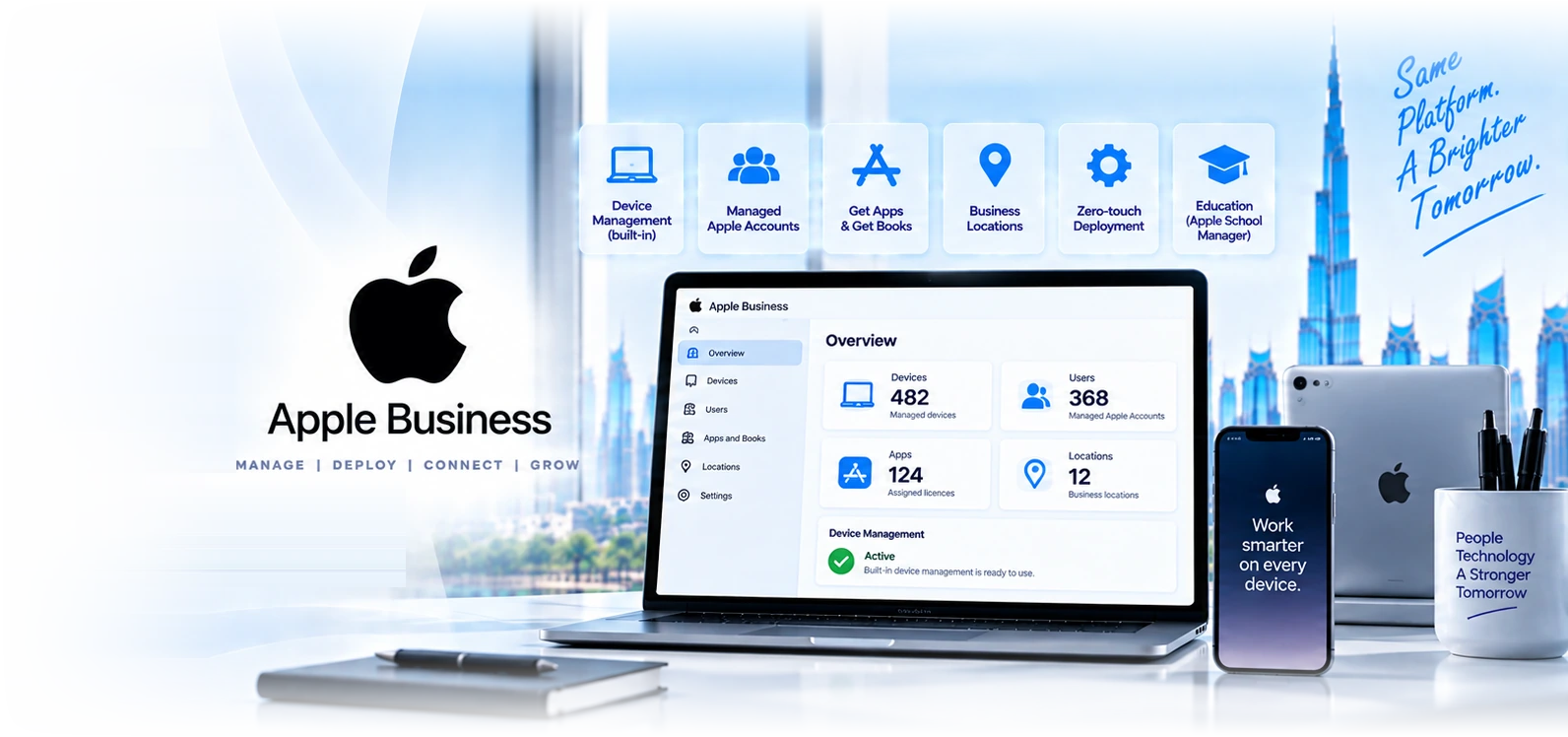
Six things to know about the move from Apple Business Manager.
Three products became one
Apple Business Manager, Apple Business Essentials and Apple Business Connect were consolidated into Apple Business on 14 April 2026. Business Essentials customers stopped being charged the monthly device management fee from that date, and Business Connect data including claimed locations and place cards migrated automatically at launch.
Managed Apple IDs are now Managed Apple Accounts
The same idea with a different name: organisation-owned identities rather than personal Apple accounts, federated to Microsoft Entra so staff sign in with credentials they already hold. The reason it matters has not changed. Company data under a personal Apple account leaves when the person does, and you have no route to recover it.
Automated Device Enrolment is now zero-touch deployment
A renaming rather than a rework. A device linked to your organisation contacts Apple on first power-on, discovers who it belongs to, and enrols into your management platform before anyone touches it. Enrolment can still be made mandatory and non-removable on organisation-owned hardware, which is what separates a managed device from one a user can unenrol.
Apps and Books is now Get Apps and Get Books
Volume purchasing under a new label. Buy application licences centrally, assign them to devices or users, and reclaim them when someone leaves. Without it, apps get bought on personal Apple accounts with personal cards and every licence you paid for walks out with the employee.
Built-in device management, free, is genuinely new
This is the substantive addition rather than a rename. Apple Business now includes basic device management at no cost, which did not exist in Apple Business Manager. For a small Apple-only business with no dedicated IT, that is a real option where previously the choice was Intune or Jamf. It is not a replacement for either at any scale, and the section below explains exactly where the line sits.
Education still uses Apple School Manager
Apple School Manager was not part of the April consolidation and continues as the platform for schools, universities and training providers, with Shared iPad, class and roster management, and Apple Classroom. If you are an education institution, none of this transition applies to you and you should stay on Apple School Manager.
If you set up Apple Business Manager before April and have not looked since.
The transition was designed to be smooth and for most organisations it was. These are the four items where we have seen it not be, and each takes minutes to check.
- Confirm somebody in your organisation can actually sign in to Apple Business. The account carried over, but the person who originally set up Apple Business Manager may have left, and the recovery path for an orphaned organisation account is slow. Verify that at least two current people have administrator access, not one.
- Check your device supplier link survived. Zero-touch deployment still depends on devices being registered to your organisation at the point of sale. If your reseller relationship was configured against the old platform, confirm new purchases are still landing in your account rather than arriving unregistered.
- Check your management platform connection. If you use Intune or Jamf, the token that connects it to Apple needs to be valid and renewed on schedule as before. An expired token silently stops new devices enrolling, and the symptom is a device that arrives and does nothing.
- Do not switch to the free built-in device management without reading the next section. For a small Apple-only business it may be the right answer. For anyone with security or compliance obligations, moving off Intune or Jamf onto it would remove controls you are likely relying on.
Four reasons Apple fleets in the UAE end up unmanageable.
Devices bought from the wrong place
The most consequential and least reversible mistake, and it did not change with the platform. A MacBook bought from a retail store or a marketplace is not registered to your organisation and generally cannot be added later. Those devices need manual enrolment a user can remove, which permanently splits your fleet into managed and unmanaged halves.
Personal Apple accounts everywhere
Staff set devices up with their own Apple account because nobody told them otherwise. Company apps get bought on personal cards, company data syncs to personal iCloud, and Activation Lock is tied to an account you do not control. Unwinding it after two years is considerably harder than preventing it on day one.
Assuming the free management is enough
New with Apple Business, and we expect to see it. Free built-in management is genuinely useful for a small Apple-only shop. For anyone with a compliance obligation, a mixed fleet, or a security team, moving off Intune or Jamf onto it removes controls you are relying on, and the gap only becomes visible during an audit or an incident.
Nobody owns the Apple estate
In most UAE mid-market businesses the Windows fleet has an owner and the Macs are whatever the design team and the executives happen to be using. That works until an audit asks how the Macs are encrypted and patched and nobody can answer. Bringing Apple into the same management and evidence model as everything else is the actual objective.
Six UAE environments where the Apple estate needs real management.
Retail and hospitality
iPads as point of sale, kiosks and guest-facing devices. Locked to a single app, recoverable when a device walks off, and reset between shifts without a technician touching them.
Creative and media firms
Mac-first studios in Media City and d3 where the entire production estate is Apple. Usually the businesses with the most Macs and the least management.
Clinics and healthcare
iPads used clinically and at reception holding patient information. Encryption, restricted app installation, and evidence of both for the health authority.
Financial services
Executives on iPhones and MacBooks holding regulated correspondence. DFSA and FSRA supervision expects the same controls on Apple hardware as on Windows.
Field and logistics operations
iPhones and iPads used for proof of delivery, inspection and field service, often with a bespoke in-house application distributed through the platform.
Education, on Apple School Manager
Schools and training providers continue on Apple School Manager with Shared iPad and Apple Classroom. The April change does not apply to them.
What Apple Business does, and what a management platform adds.
| Feature | Apple Business | A full MDM (Intune or Jamf) | Neither, manual setup |
|---|---|---|---|
Cost | Free | Licensed, often already owned | Free, and expensive later |
Zero-touch enrolment out of the box | Requires Apple Business | ||
Enrolment users cannot remove | Requires Apple Business | ||
Central app purchasing and reassignment | Consumes Apple Business licences | ||
Organisation-owned Apple Accounts | |||
Activation Lock clearing | Via Apple Business supervision | ||
Basic device configuration | |||
Deep configuration and scripting | |||
Compliance reporting for audit | |||
Endpoint detection and response | Via Defender or Jamf Protect | ||
Manages Windows and Android | Intune yes, Jamf no | ||
Works on retail-bought devices | Generally not | Manual enrolment only | Not applicable |
Apple Business built-in management against Intune and Jamf.
| Apple Business built-in | Microsoft Intune | Jamf Pro | ||
|---|---|---|---|---|
| Cost | Free | Usually already in Microsoft 365 | Licensed per device | |
| Manages Windows and Android too | No, Apple only | Yes | No, Apple only | |
| Zero-touch deployment | Yes | Yes, via Apple Business | Yes, via Apple Business | |
| Encryption with escrowed recovery keys | Basic | Yes | Yes | |
| Endpoint detection and response | No | Via Defender | Via Jamf Protect or Defender | |
| Compliance reporting and audit evidence | No | Yes | Yes | |
| Vulnerability and patch reporting | No | Yes | Yes, including third-party Mac apps | |
| Conditional access gating company data | No | Native with Entra | Via Entra connector | |
| Policy depth | Shallow, template-led | Good | Deepest available | |
| Suits | Small Apple-only shop, no IT, no compliance obligation | Mixed fleet in a Microsoft environment | Mac-first or large Apple estate |
Four steps to an Apple estate you actually control.
- 1
Transition check and estate discovery
Week 1
Confirm Apple Business access, administrator count, supplier registration and management platform token. Then inventory every Apple device: who holds it, where it was bought, whether it is on a personal Apple account, and whether Activation Lock is enabled.
- 2
Platform decision
Week 1 to 2
Whether the free built-in management is genuinely sufficient for you, or whether Intune or Jamf is required. Decided on your compliance obligations, fleet mix and size rather than on cost alone, and we will recommend the free option where it fits.
- 3
Foundation and enrolment
Week 2 to 3
Administrative roles separated, Managed Apple Accounts configured and federated to Entra where you use Microsoft identity, Get Apps set up, supplier registration confirmed, and enrolment profiles built per device type.
- 4
Backlog remediation and purchasing rule
Week 3 onwards
Existing devices brought under management where possible, personal Apple accounts migrated, and a written purchasing rule so the problem stops growing. New devices from that point arrive zero-touch and need no technician time.
“A designer left and we could not use his MacBook because it was locked to his personal Apple account and he had stopped replying. That is a fifteen thousand dirham paperweight. GR sorted our Apple platform out, linked our reseller, and now every Mac we buy enrols itself before it reaches the desk. They also told us the free management Apple now includes would not cover our audit requirements, which we would not have known to ask.”
What UAE businesses ask about the change.
Twelve questions about the Apple devices in your business.
Ownership and access
- Can two current employees sign in to Apple Business as administrators?One is a single point of failure and the recovery path for an orphaned account is slow.
- Is your device supplier still registering purchases to your organisation?Zero-touch depends on it. Confirm it survived the platform change.
- How many Macs, iPhones and iPads are in the business?If the number comes from memory rather than a system, that is the finding.
- Are staff signed in with personal Apple accounts?Company data under a personal account leaves when they do.
What happens when someone leaves
- Could you recover a MacBook from a departed employee who will not share their password?Without supervision, Activation Lock makes it unusable hardware.
- Do app licences return to the organisation, or leave with the person?Apps bought on personal accounts are gone, and you paid for them.
- Can you remotely wipe company data from an iPhone today?Test the answer rather than assuming it.
- Is there a documented Apple offboarding step at all?Usually the Windows process exists and the Apple one does not.
Security and audit
- Is FileVault enabled on every Mac, with keys you can retrieve?Encryption with a key only the user holds fails an audit and a data recovery.
- Are Macs receiving OS updates on a managed schedule?Users updating when prompted is not patch management, and September is when that shows.
- Do Macs and iPhones appear in your compliance reporting alongside Windows?A fleet report that silently excludes Apple is not a fleet report.
- Is there endpoint protection on the Macs?The belief that Macs do not need it is roughly a decade out of date.
What clients scope alongside this.
Apple device management Dubai
The wider Apple practice: macOS and iOS operations, patching, and the annual September release cycle.
Microsoft Intune
The management platform most UAE businesses already own, covering Macs and iPhones alongside Windows.
Jamf Pro
The specialist Apple platform, for larger Mac estates and Mac-first organisations.
Find out whether your Apple Business transition actually landed cleanly.
Tell us about organisation account status, hardware suppliers, planned device types and the management service. We will confirm the requirements and proposed scope with you.
Related Services
Explore more solutions that work great with this service
Apple volume app distribution
Buying, assigning, revoking and transferring Apple app licences.
Zero-Touch Deployment UAE
Sealed box to working device without IT touching it
Apple Business Migration
What replaced Apple Business Manager, and what to verify now
Apple Device Management
Mac and iPhone fleets, encryption, patching and the September cycle
Jamf Pro UAE
The specialist Apple management platform, and when it earns its place
Microsoft Intune
Device management and endpoint security
MDM Solutions Dubai
Device management across Windows, Apple and Android
Endpoint Security
Defender for Endpoint and Intune managed