macOS management, Dubai
Managing Macs is not managing iPhones with a bigger screen.
Secure, compliant and productive Macs across your business. We deploy, manage and support macOS estates in Dubai and across the UAE using Intune, Jamf or Apple Business.
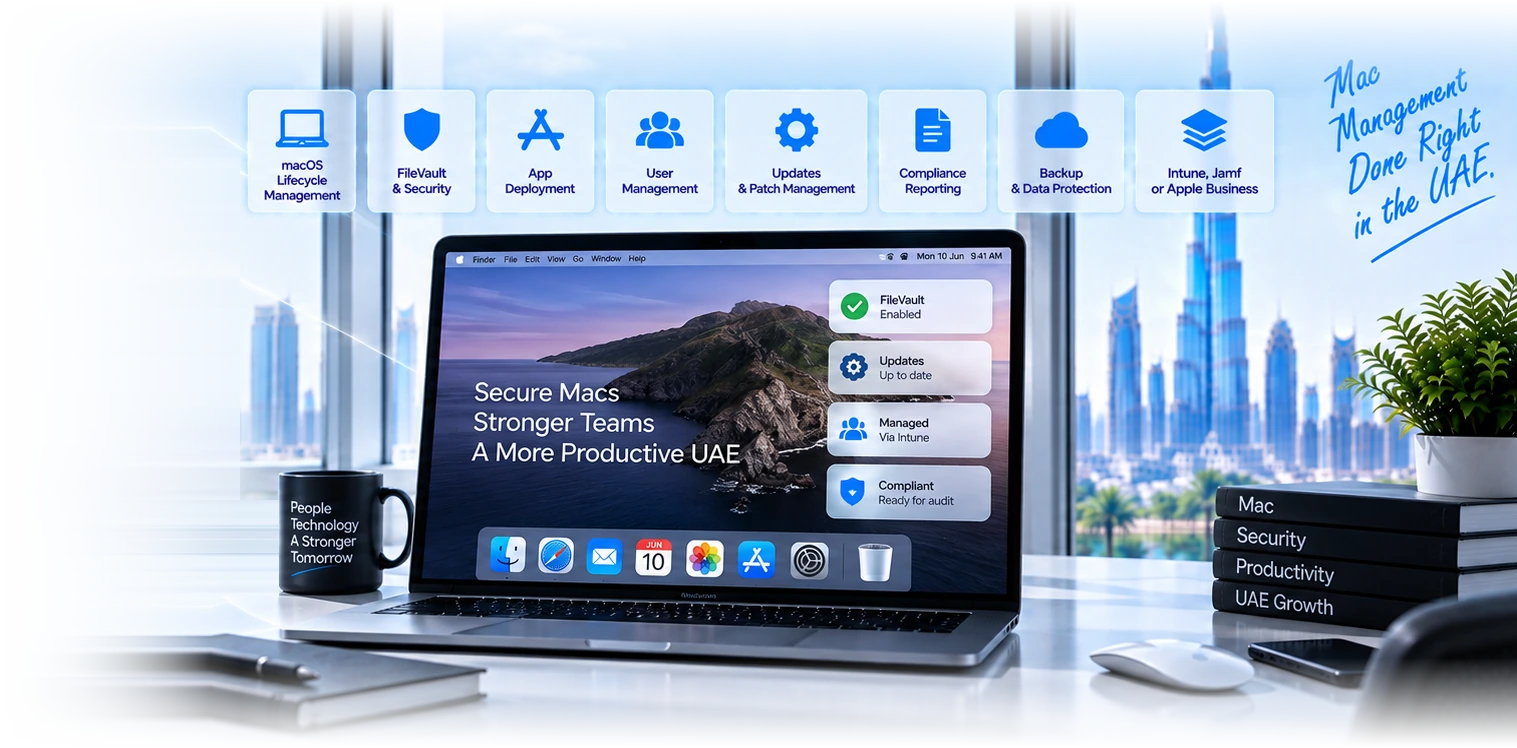
Eight disciplines that apply to Macs and not to your phones.
FileVault, with a recovery key you can actually retrieve
Turning on disk encryption is the easy half. The half that matters is escrowing the recovery key to your management platform so the organisation can recover a Mac when somebody leaves abruptly, forgets a password, or is unavailable. We find encrypted Macs in UAE businesses whose only recovery key was written down by an employee who has since left, which is functionally the same as having no key at all and worse than not encrypting, because the data is now unreachable by anybody including you.
Local administrator rights, removed without breaking anybody
Almost every Mac we assess has its user as a full local administrator, usually because that is the default when somebody sets up a machine themselves. It is also the single largest avoidable risk on the device. The work is not simply removing it, because a designer who cannot install a font plugin will be blocked from doing their job. It is establishing what people genuinely need, providing a self-service route for approved software, and keeping a documented administrative account for support.
Updates that actually get installed
macOS lets users defer updates, and they do, for months, because an update means closing everything and losing twenty minutes. The result is an estate where the security patch you believe is deployed is sitting on a notification badge. Managed update policy sets a deadline, gives people a reasonable window to choose their moment, and then enforces it, which is the only approach we have seen work with people who have real deadlines of their own.
Software deployment that does not need a technician
Getting the right applications onto a Mac, keeping them updated, and letting people install approved software themselves without an administrator password. This is where the management platforms differ most: Jamf Pro is the strongest, Intune is capable, and the newer Blueprints model in Apple Business covers common cases. The requirement is the same regardless: nobody should have to raise a ticket to install a tool that has already been approved.
Apple silicon, and the Rosetta deadline you should be planning for
Apple stated at WWDC 2025 that Rosetta, the technology that lets Intel-era software run on Apple silicon Macs, would be available through macOS 27 to help developers finish migrating. macOS 26 Tahoe was the last release supporting Intel Mac hardware. The practical consequence for a UAE business is that any critical application still shipping as Intel-only has a limited runway, and finding out which of yours those are is a task worth doing now rather than discovering it during an upgrade.
Security controls that suit a Mac rather than a copied Windows policy
The firewall, Gatekeeper, system integrity protection, controls on what can be installed and from where, and endpoint protection if you need it. The common failure is applying a Windows security baseline to Macs by analogy, which produces settings that either do nothing or break something. Mac controls need to be chosen for how macOS actually works, and then tested on a real machine.
Company data that lives only on the laptop
The most consistently overlooked risk in a Mac estate. Documents in a local folder, a Desktop full of client work, a downloads folder holding contracts, none of it in your cloud storage and none of it backed up. When the laptop is stolen at an airport or the drive fails, that work is gone. The fix is partly technical, redirecting storage to a synced location, and partly cultural, and both halves are needed.
Evidence you can hand to an auditor or an insurer
Encryption status per device, operating system versions, management coverage, and which devices are outside your control entirely. UAE regulated firms and anyone completing enterprise client security questionnaires get asked for this, and the honest answer for most Mac estates is that it would take a week to compile. It should take a minute, from a report, and getting there is mostly a matter of enrolling everything and keeping the record accurate.
The Rosetta deadline is the one genuine Mac deadline on the horizon.
Most Apple platform changes are gradual and forgiving. This one has an end date attached, and organisations with legacy or niche software are the ones who will feel it. Here is what is known and what is not.
- What Apple has committed: at WWDC 2025 Apple said Rosetta would be available for the next two major macOS releases, through macOS 27, as a general-purpose tool for Intel apps to help developers complete migration. That is Apple own wording and it is the part you can plan against with confidence.
- What follows is inference rather than a published guarantee. The widely held expectation is that from macOS 28 Rosetta largely stops working as a general-purpose tool, with a narrow exception Apple has described for older unmaintained gaming titles. We are flagging it as expected rather than certain, because Apple has committed only through macOS 27.
- The action is small and worth doing now: find out which of your critical applications are still Intel-only. In most UAE businesses the answer is none, and you can stop worrying. Where it bites is specialist software, older accounting and ERP clients, industry tools with small vendors, and anything from a supplier that has gone quiet. Those are the ones that need a conversation with the vendor this year rather than in 2027.
- Separately, macOS 26 Tahoe was the last release supporting Intel Mac hardware. If you still run Intel Macs, they will not receive the newer macOS versions, so plan their replacement on a normal refresh cycle rather than waiting for something to force it.
Four reasons a Mac estate needs somebody who works on Macs.
We manage Macs as a first-class platform, not an exception
Macs in a mixed estate are commonly treated as the machines that get looked at when somebody complains. They end up outside the update policy, outside security monitoring and outside the compliance report, which is precisely how they become the weak point. We treat them as part of the estate with their own correct configuration rather than a Windows policy applied by analogy.
We remove administrator rights without starting a war
This is the change with the best security return and the worst reputation, because it is usually done badly: rights removed overnight, no self-service route, and a week of people unable to work. We do it by establishing what each role genuinely installs, building an approved catalogue first, then removing rights with a clear escalation path. Done in that order it is uneventful.
We work with whatever platform you already have
Intune, Jamf Pro, Jamf Now or the management now built into Apple Business. We are not going to tell you to re-platform because we prefer something else. In a large number of cases the correct recommendation is to configure properly what you already pay for, because the gap is almost never the tool and almost always what was never set up in it.
Support that understands a Mac problem is not a Windows problem
A permissions prompt, a kernel extension refusing to load, an update that will not complete, a Mac that will not enrol. These need somebody who has seen them before rather than somebody working from a general script. Priority tiers apply, P1 within 5 minutes, P2 within 10, P3 within 30, with a named contact who knows your configuration.
Six UAE situations where Mac-specific management matters most.
A creative or media agency, all Mac
Heavy local files, large project folders, plugins that need administrator rights, and a strong cultural resistance to anything that gets in the way of work. The priorities here are backup and encryption first, then a self-service software catalogue that makes removing administrator rights palatable, then updates. Doing it in a different order tends to produce resistance that outlasts the project.
A Windows-majority company with Macs at the top
The most common shape we see, and the most quietly risky. The executives and the design team have Macs, they are outside the Windows management everything else runs under, and they hold the most sensitive material in the company. These estates typically fail every check in the list above. Bringing them into management usually needs a light touch, because the users are senior.
A DIFC or ADGM regulated firm
Evidence is the driver here rather than convenience. Encryption status, patch compliance, management coverage and the ability to demonstrate that a device holding client data is controlled. Regulated firms also tend to have short deadlines when a question arrives, which makes the difference between a report and a week of compilation genuinely material.
A company still running an Intel-only application
Specialist industry software, an older ERP or accounting client, or a tool from a small vendor. This is the group with a real deadline, because Apple committed Rosetta only through macOS 27. The work is to identify the applications, contact the vendors about their Apple silicon plans, and build a replacement or migration plan while there is time to do it calmly.
A distributed team where Macs rarely visit the office
Remote and hybrid staff whose machines are never physically available for maintenance. Everything has to work over the internet: enrolment, updates, software deployment, support and recovery. This is where an unmanaged Mac becomes genuinely invisible, because there is no moment at which somebody notices it has not been updated in fourteen months.
An organisation that has just failed a client security questionnaire
A frequent reason for the first call. An enterprise client or an insurer has asked a set of questions about device encryption, patching and management, and the Mac answers were unconvincing. This is a well-defined piece of work with a clear finish line, and it usually improves the Windows side as well because the same questions apply there.
What we actually find when we assess Macs in a UAE business.
| Feature | Managed properly | Enrolled but not managed | Unmanaged |
|---|---|---|---|
Encryption enforced | Usually | By luck | |
Recovery key retrievable by the organisation | Sometimes | ||
Updates installed within a defined window | |||
Users are not full local administrators | |||
Approved software installs without a ticket | Rarely | Anything installs | |
Company data is synced, not only local | Partly | ||
Macs appear in security monitoring | Rarely | ||
Compliance evidence available on request | In minutes | In days | No |
Departing employee device recovered cleanly | Usually | Often not | |
How common in the UAE market | Uncommon | The default | Small firms |
What each management platform actually gives you on macOS.
| Apple built-in | Microsoft Intune | Jamf Pro | |
|---|---|---|---|
| Enforce FileVault and escrow the key | Yes | Yes | Yes |
| Manage local administrator rights | Configurations | Yes | Yes, most granular |
| Enforce update deadlines | Yes | Yes | Yes |
| Self-service software catalogue | Via Blueprints | Company Portal | Self Service, the strongest |
| Scripting and custom automation | Not published | Limited | Yes, extensive |
| Third-party app patching | Not published | Yes | Yes |
| Compliance gating access to company data | Not published | Yes, native | Through integration |
| Also manages Windows | No | Yes | No |
| Same-day support for a new macOS release | Yes | Usually delayed | Yes |
| Cost to an organisation on Microsoft 365 | Included | Usually included | Separate licence |
| Best for a small Apple-only office | Often enough | Good | More than needed |
| Best for a design or engineering team | Limited | Workable | The strongest |
Five steps, ordered so the risky things get fixed first.
- 1
Find every Mac, including the ones not in your list
We reconcile what your management platform shows against what people are actually carrying, and against purchasing records. There is always a gap, and it is usually devices bought during a hiring push or replaced directly by a department. Those are, predictably, the least managed machines in the business.
- 2
Fix encryption and recoverability first
FileVault enabled everywhere, recovery keys escrowed to the management platform, and a tested recovery process. We test it rather than assuming, because an escrow configuration that was never verified is a promise rather than a control. This step is first because it is the one where the failure is unrecoverable.
- 3
Get updates under a policy people can live with
A deadline with a reasonable window, so users choose their moment but the moment arrives. We set this alongside a clear communication to staff, because an update that reboots a machine unannounced during client work destroys goodwill for every change that follows.
- 4
Build the software catalogue, then remove administrator rights
In that order, always. People need a working route to the software they legitimately use before the shortcut is taken away. Once the catalogue exists and people have used it, removing administrator rights is a quiet change rather than a confrontation, and it stays removed.
- 5
Report, and keep it accurate
Encryption, patch state, management coverage and exceptions, in a report you can hand to an auditor, an insurer or a client without preparing anything. Then the ongoing work: new devices enrolled, leavers recovered, applications kept current, and a fixed annual point at which the estate is re-examined.
What businesses ask about running Macs properly.
Fifteen checks we run on every Mac estate.
What would hurt tomorrow
- Is FileVault on, and is the recovery key escrowed centrally?Encrypted with an unrecoverable key is worse than unencrypted.
- Could you recover a Mac if its user vanished today?The abrupt-departure test, and most estates fail it.
- Is company data on local drives that nothing backs up?Desktop and Downloads are where it always is.
- Is every Mac actually enrolled in management?The ones bought in a rush usually are not.
- Are users full local administrators?Almost always yes, and almost always avoidable.
Hygiene that keeps it manageable
- What macOS versions are actually installed across the estate?Not what policy says. What the report says.
- Are updates enforced with a deadline, or merely offered?Offered means deferred indefinitely.
- Can staff install approved software without calling somebody?If not, they will find another route.
- Is there a documented administrative account for support?Break-glass access that does not depend on the user.
- Does anything on the Mac feed your security monitoring?Macs are commonly absent from otherwise good monitoring.
Planning nobody does early
- Which of your critical applications are still Intel-only?The Rosetta question. Small task now, large problem later.
- Do you still run Intel Mac hardware?macOS 26 was the last release supporting it.
- Is there a refresh cycle, or do Macs get replaced when they die?Replacement-on-failure always lands at the worst moment.
- Do you know what each Mac cost and when it was bought?Needed for both budgeting and insurance.
- Is there a leaver process that recovers the device and its data?The half of the lifecycle that gets skipped.
The layers around this one.
Apple device management in Dubai
The whole Apple estate picture: the free account layer, choosing a platform, securing it, and the operational disciplines that keep it managed.
Zero-touch deployment
How a Mac gets from a purchase order to a working device without a technician touching it, and the purchasing decision the whole chain depends on.
Jamf Protect for UAE Mac estates
Mac endpoint security specifically, and an honest comparison against what Microsoft Defender already gives you if you are licensed for it.
Two questions tell us most of what we need to know.
Can you retrieve the FileVault recovery key for a Mac whose user left this morning, and do you know which of your applications are still Intel-only. If either answer is uncertain, a review is worth a morning of your time. We will tell you what is genuinely urgent and what can wait.
Related Services
Explore more solutions that work great with this service
Managed Device Attestation
Hardware evidence behind an Apple device certificate.
Mac in a Microsoft Environment
Identity, management and security, one owner each
macOS Patch Management
Enforced Apple updates, measured on OS version
Jamf or Intune for macOS
Requirements first, then a trial on real devices
macOS Security Hardening
Encryption, execution control and recovery keys
Apple Declarative Management
Autonomous update enforcement, and what happens at the deadline
iPhone and iPad Management
Remove company data from a phone you do not own
Apple Device Management
Mac and iPhone fleets, encryption, patching and the September cycle