macOS security hardening, UAE
If your FileVault recovery keys are institutional rather than personal, Apple no longer recommends what you are doing.
We harden macOS for UAE organisations, following Apple's latest recommendations, from FileVault key management to update enforcement, endpoint protection and device control.
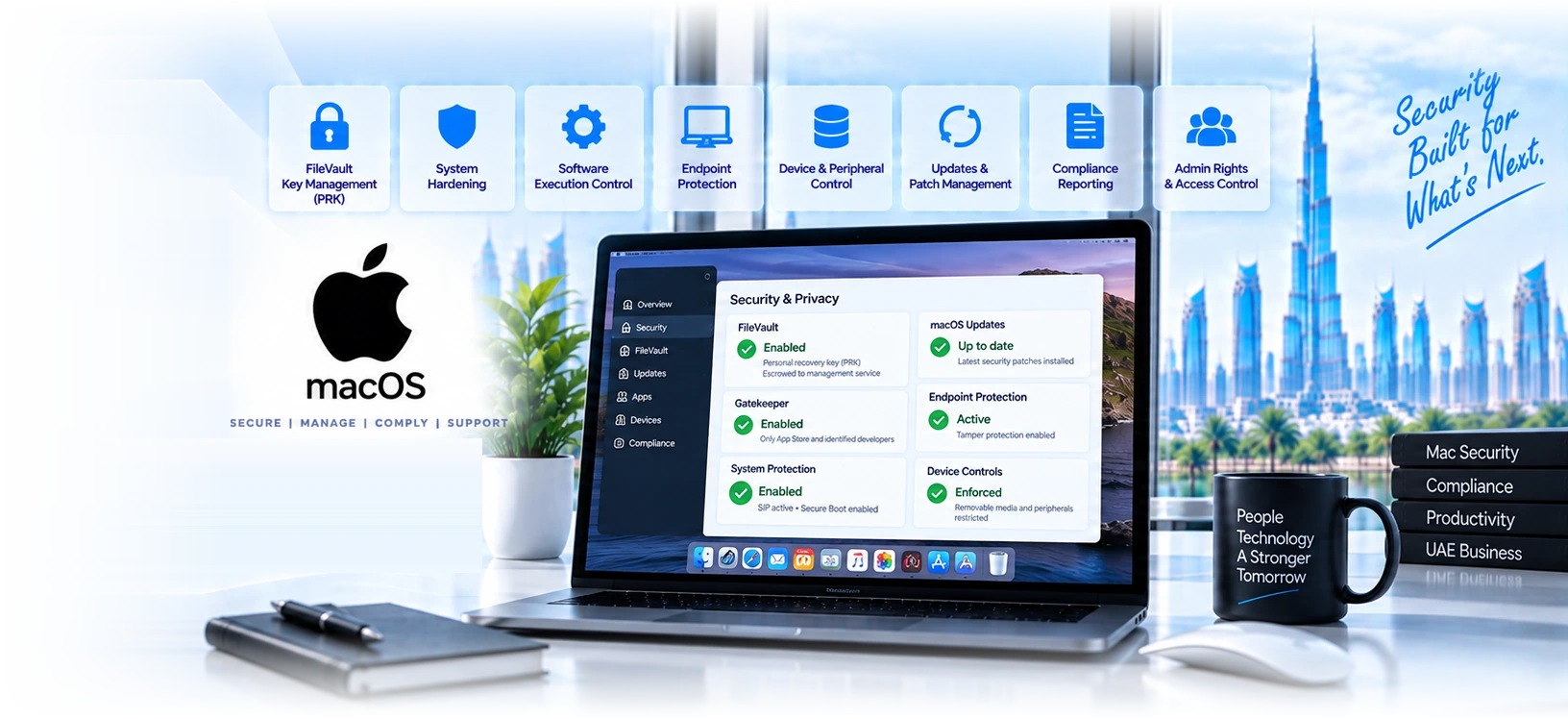
Eight areas, and the first one is where most estates are quietly out of date.
FileVault recovery keys, done the way Apple now recommends
Apple states that institutional recovery keys are no longer recommended for institutional management of FileVault on Macs, and that a personal recovery key should be used instead. Personal keys give unique encryption per volume, escrow to the device management service, and easy key rotation after use.
Encryption enablement that actually completes
Managing FileVault through device management is called deferred enablement and requires a logout or login event from the user, with options including how many times a user may defer. Estates that set a policy and never check completion routinely find a tail of devices where enablement was deferred indefinitely.
Key rotation as an operating habit
The device management service can optionally rotate personal recovery keys as often as required to help maintain a strong security posture, for example after using a key to unlock a volume. A recovery key that was used once and never rotated is a credential sitting in a ticket history somewhere.
Software execution control
Gatekeeper verifies that software is from an identified developer, is notarised by Apple to be free of known malicious content, and has not been altered. By default all software in macOS is checked for known malicious content the first time it is opened, regardless of how it arrived. The hardening question is which overrides you permit.
Endpoint protection with tamper resistance
Microsoft Defender for Endpoint on macOS is built on Apple system extension architecture with native support for Intel and Apple Silicon, and includes tamper protection that safeguards security settings from unauthorised changes. Tamper protection is one of the settings most commonly left unconfigured after deployment.
Removable media and peripheral control
Device control monitors and restricts access to removable media including USB storage, Bluetooth and other peripherals, with granular policies deployed through Intune or Jamf. It is frequently assumed to be unavailable on Mac, which means the control is missing rather than deliberately not applied.
Update currency, since hardening decays without it
Declarative software update policies require macOS 14.0 and later. A hardened Mac running an OS version that stopped receiving fixes is hardened against yesterday. Update enforcement belongs in the hardening baseline rather than being treated as a separate operational concern.
Administrative rights and what people can change
Who has local administrator rights, what a standard user can alter, and whether security settings can be turned off by the person using the device. Apple notes that Gatekeeper policies can be overridden through settings or device management restrictions, which is exactly why the restriction side needs deciding.
Institutional recovery keys are no longer recommended, and on Apple silicon they barely work.
Apple documentation is direct: the use of an institutional recovery key is no longer recommended for institutional management of FileVault on Mac computers, and a personal recovery key should be used instead.
- On Apple silicon Macs, institutional recovery keys provide limited value because they cannot access recoveryOS and target disk mode is unsupported. So the mechanism many organisations still rely on is largely ineffective on the hardware they are currently buying.
- Personal recovery keys are described as providing an extremely robust recovery and operating system access mechanism, unique encryption per volume, escrow to the device management service, and easy key rotation after use. The escrow and rotation properties are what make them operationally better, not just newer.
- During enablement the personal recovery key can optionally be hidden from users, and it is encrypted asymmetrically using a certificate and returned to the device management service as a security information query. That is what makes recovery an administrative action rather than something depending on a user remembering a string.
- The habit worth building is rotation. The device management service can optionally rotate personal recovery keys as often as required, for example after a key has been used to unlock a volume. Without that, every recovery event leaves a live credential in whatever ticket or chat it was shared through.
Four things that separate a hardening project from a document.
We fix recovery key management first
Apple no longer recommends institutional recovery keys for FileVault management and recommends personal keys instead, and on Apple silicon the institutional key cannot access recoveryOS while target disk mode is unsupported. Estates still relying on the old model have a recovery mechanism that will not work when they need it.
We measure outcomes, not policy deployment
The number that matters is how many Macs are actually encrypted with an escrowed key, not how many have received the profile. Deferred enablement requires a logout or login event from the user, so a policy can be perfectly deployed and a device can remain unencrypted for months.
We build rotation into the runbook
The management service can rotate personal recovery keys as often as required, for example after a key has been used to unlock a volume. Without a runbook step, every recovery event leaves a working credential in a ticket, a chat message or somebody notes, indefinitely.
We test whether a user can undo it
Apple notes that Gatekeeper policies can be overridden through settings or device management restrictions. Tamper protection safeguards security settings from unauthorised changes and is frequently left unconfigured. We test the controls from a standard user account rather than assuming they hold.
Four phases across roughly four to five weeks.
- 01Week 1
Assess outcomes rather than policies
Not what the configuration profiles say, but what is true on the devices. How many have FileVault actually enabled, how many have an escrowed recovery key, what type of key it is, what OS versions are running, and what endpoint protection is genuinely installed and functioning.
- FileVault enablement measured per device
- Recovery key escrow and key type established
- OS version distribution captured
- Endpoint protection presence verified, not assumed
- 02Week 2
Design the baseline and decide the exceptions
What the standard is for encryption, key rotation, software execution, peripherals, updates and administrative rights. Then which groups need an exception and on what basis, because undocumented exceptions are how a baseline quietly stops applying to a third of the estate.
- Written baseline with a rationale per control
- Exception groups defined with named owners
- Deferral limits and rotation policy agreed
- Administrative rights model decided
- 03Weeks 3 to 4
Apply, starting with encryption
Deferred enablement configured with a deferral limit, personal recovery keys escrowed to the management service, and rotation set up. Then execution control, endpoint protection with tamper protection on, device control and update enforcement, piloted before broad application.
- FileVault deferred enablement applied with limits
- Personal recovery key escrow confirmed working
- Endpoint protection and tamper protection configured
- Device control and execution policy applied
- 04Week 5
Verify and make it measurable
Verification against the outcomes rather than the policy status, and reporting that somebody will actually look at. A baseline that cannot be measured decays silently, and the first sign is usually an incident on a device everybody assumed was covered.
- Outcome verification per control
- Exception register with review dates
- Ongoing reporting agreed
- Runbook for recovery key use and rotation
Six situations where macOS hardening becomes urgent.
A regulated firm asked to evidence device encryption
The question is never whether you have a FileVault policy, it is what proportion of devices are encrypted and whether you can recover them. Measuring that, escrowing personal recovery keys and being able to produce the figure is the difference between a straightforward answer and a finding.
A business that has lost a Mac
The moment a device goes missing, two questions arrive at once: was it encrypted, and can we prove it. An estate with measured coverage and escrowed keys answers both quickly. An estate with a deployed policy and no measurement spends a week finding out.
An organisation completing a customer security questionnaire
Customer questionnaires increasingly ask specifically about endpoint encryption, execution control and removable media. Answering accurately requires the controls to exist on Macs as well as Windows, and the Mac half is where the honest answer is usually weaker.
A provider where a device holds sensitive records
Where a Mac carries patient or client data, encryption with recoverable keys is not a best practice, it is the control that determines whether a lost device is a notifiable event. Deferred enablement without a deferral limit is the specific configuration that undermines it.
A company where everyone has admin rights
Common in businesses that grew from a technical founding team, and it means every control is optional. Moving to a standard user model is disruptive and it is also the single change that makes every other hardening control durable rather than advisory.
An estate where nobody has checked in two years
Policies applied during a project, never measured since, and drifted through OS upgrades and staff changes. These assessments consistently find encryption coverage below expectation, endpoint protection missing on a subset, and a group of devices too old for current update policies.
How UAE organisations secure their Macs.
| Feature | Hardened and measured | Policies applied, outcomes unknown | Secure by default only |
|---|---|---|---|
FileVault coverage known | Measured | Assumed | Unknown |
Recovery keys escrowed | Yes, personal keys | Sometimes institutional | No |
Keys rotated after use | Yes | No | Not applicable |
Deferral limited | Yes | Often not | Not applicable |
Endpoint protection verified | Yes | Deployed at some point | None |
Tamper protection on | Yes | Rarely checked | No |
Removable media controlled | Yes | No | No |
Updates enforced | Yes | Attempted | User choice |
Exceptions documented | Register with owners | Informal | Not applicable |
Recovery without the user possible | Yes | Sometimes | No |
Ten controls, and the question each one answers.
| Control | The question it answers | |
|---|---|---|
| FileVault enabled and verified | Is the disk actually encrypted, on every device | |
| Personal recovery key escrowed | Can we recover a device without the user | |
| Recovery key rotation | Is a used key still valid somewhere | |
| Deferral limit configured | Can a user postpone encryption indefinitely | |
| Gatekeeper policy | What software is allowed to run | |
| Endpoint protection deployed | Is anything watching for malicious behaviour | |
| Tamper protection enabled | Can the user turn the protection off | |
| Device control policy | Can data leave on a USB stick | |
| Update enforcement | Will this device still be patched next quarter | |
| Administrative rights | Who can undo everything above |
Five steps, and the first produces the uncomfortable number.
- 1
Measure the current state on the devices
FileVault enablement per device, whether a recovery key is escrowed and what type it is, OS versions, endpoint protection presence and configuration. Outcomes rather than policy assignment, because a deployed profile and an encrypted disk are different facts.
- 2
Write the baseline with a reason per control
Encryption and key handling, software execution, endpoint protection and tamper resistance, peripherals, update enforcement and administrative rights. Each with a reason, because a baseline without reasons gets exceptions granted by whoever asks most persistently.
- 3
Fix encryption and key management first
Deferred enablement with a deferral limit so it cannot be postponed indefinitely, personal recovery keys escrowed to the management service, and rotation configured. This is the control with the clearest consequence when it is missing, so it goes first.
- 4
Apply protection, execution and peripheral controls
Endpoint protection deployed with tamper protection enabled, execution policy decided, device control applied to removable media including USB and Bluetooth, and any legacy security product either removed or given proper mutual exclusions.
- 5
Verify, document exceptions and keep measuring
Controls tested from a standard user account rather than assumed, exceptions recorded with owners and review dates, and reporting built on outcomes so drift is visible. A baseline nobody measures reverts to being a document within a year.
What organisations ask about macOS hardening.
Fifteen questions to ask about your own Macs.
Encryption
- What percentage of Macs have FileVault on?Measured, not targeted.
- Are recovery keys escrowed?To the management service.
- Personal or institutional keys?IRK is no longer recommended.
- Have keys ever been rotated?Especially after use.
- How many times can a user defer?A configurable option.
Execution and protection
- What is our Gatekeeper policy?And who can override it.
- Is endpoint protection on every Mac?Verified, not deployed.
- Is tamper protection enabled?Commonly left off.
- Is any legacy security product still present?Exclusions may be needed.
- Are USB and Bluetooth controlled?Device control covers both.
Sustainability
- Are OS updates enforced?Declarative policies need macOS 14.0+.
- Who holds local admin rights?And why.
- Can a user disable our controls?Test it, do not assume.
- Is there an exception register?With owners and review dates.
- Who reads the compliance report?If nobody, it is not a control.
Find the proportion of Macs with FileVault on and a key escrowed.
Then check whether those keys are personal or institutional. Apple no longer recommends institutional keys, and on Apple silicon they cannot reach recoveryOS. Those two numbers tell you where to start.
Related Services
Explore more solutions that work great with this service
macOS Management Dubai
FileVault, admin rights, updates and the Rosetta deadline
macOS Patch Management
Enforced Apple updates, measured on OS version
BitLocker Management
Silent encryption, recovery key escrow, and the assessment first
Mac in a Microsoft Environment
Identity, management and security, one owner each
Apple Device Management
Mac and iPhone fleets, encryption, patching and the September cycle
Defender for Endpoint
Business, Plan 1 or Plan 2, and what each actually gives you
Endpoint Security
Defender for Endpoint and Intune managed
Security Baselines
Why deploying one does not make you CIS compliant