What Is Managed Wi-Fi? What It Includes and When Your Office Needs It
Short answerManaged Wi-Fi means a provider designs, monitors, secures and changes your office wireless network under a written scope. Your office needs it when a Wi-Fi outage would stop work and nobody in-house runs the network day to day.
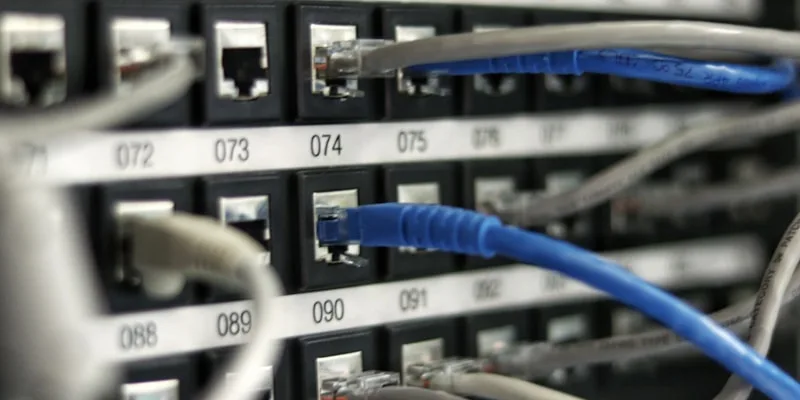
What is managed Wi-Fi?
Managed Wi-Fi is a service in which a provider designs, monitors, secures and changes your office wireless network under a written scope, instead of your own team running it. It covers the access points, the cloud or controller dashboard, staff and guest sign-in, firmware, and the alerts that flag a failing access point before staff notice. If you are comparing enterprise Wi-Fi solutions in Dubai, that written scope is what separates a managed service from a one-off installation. Physical cable runs are a separate job for your cabling contractor.
What does managed Wi-Fi include beyond monitoring?
Beyond monitoring, managed Wi-Fi should include security checks, firmware, changes, troubleshooting and written reporting, each named in the scope. An alert fixes nothing on its own; the value is in what happens after it fires.
- Security monitoring, not only uptime. NIST's wireless guidance says continuous monitoring should detect unauthorised devices, including rogue access points, devices that are misconfigured or using weak protocols, unusual usage patterns, and interference.
- Firmware and configuration. Updates are tested, scheduled and recorded, with the configuration backed up first.
- Changes. A new floor, a moved team or a new network name goes through a change request with an owner, a planned time and a way back if it fails.
- Troubleshooting with data. When someone says the Wi-Fi is slow, the provider checks the access point, signal, channel and internet line before changing anything.
- Reporting. A current list of access points, network names and settings, and a monthly report of incidents, changes and firmware status.
The same model applies to managed networks more broadly: switches, firewalls and the internet router can sit in the same scope.
How is managed Wi-Fi different from a one-off Wi-Fi installation?
A one-off installation ends at handover; managed Wi-Fi starts there and runs for the contract term. NIST's guidance on securing wireless networks makes the point: security depends on how well each component is secured throughout the lifecycle, from initial design and deployment through ongoing maintenance and monitoring.
| Question | One-off installation | Managed Wi-Fi |
|---|---|---|
| Who notices a fault? | Your staff, who then call someone | The provider, from alerts, with written response targets |
| Who keeps firmware current? | Nobody, unless it is arranged | The provider, on an agreed schedule |
| How are changes made? | A new quote each time | Through an agreed change process |
| What drives the cost? | The survey, hardware and configuration | The number of access points and sites, hours of cover and reporting depth |
You can buy both: a project to survey and install, then a managed service to run what was built.
How should office Wi-Fi be secured?
Secure office Wi-Fi with WPA3, a personal sign-in for every staff device through 802.1X, a separate guest network and monitoring for rogue access points.
- WPA3. The Wi-Fi Alliance says WPA3 networks use the latest security protocols, disallow outdated legacy protocols and require Protected Management Frames (PMF). Test older printers and scanners first; a device that cannot meet those requirements may not connect.
- 802.1X for staff. The IEEE 802.1X standard lets an administrator restrict network access to authenticated and authorised devices. Each person or device connects with its own credential, such as a certificate, so removing a leaver does not mean changing a shared password for everyone.
- Intune Wi-Fi profiles. If staff devices are managed in Microsoft Intune, a Wi-Fi profile can be assigned to users and groups, and Microsoft says users then get access to your organisation's Wi-Fi network without configuring it themselves. For certificate sign-in, Microsoft says to deploy the Wi-Fi, certificate and root certificate profiles to the same groups.
- Guest isolation. NIST recommends separate wireless networks for guests and internal use, and says devices on one should not be able to connect to devices on the other.
- Rogue access point detection. A rogue access point is a device set up to look like part of your network. NIST warns it can open a backdoor into the wired network that bypasses firewalls.
A wireless security audit checks these controls against your live network before you change anything.
Which Wi-Fi standard and band does a UAE office need?
For a new installation, choose access points that support the 6 GHz band, which means Wi-Fi 6E or tri-band Wi-Fi 7, because the UAE regulator opened part of that band to indoor Wi-Fi in 2020. Keep 5 GHz for devices that cannot use 6 GHz, and 2.4 GHz for what the Wi-Fi Alliance calls basic needs, such as web browsing and IoT applications.
- Wi-Fi 6 was introduced in 2018. The Wi-Fi Alliance says it brings higher data rates, greater capacity and stronger performance in dense environments.
- 6 GHz came with Wi-Fi 6: the Wi-Fi Alliance says Wi-Fi 6 introduced Wi-Fi in the 6 GHz band, in addition to the 2.4 GHz and 5 GHz bands of earlier generations. The same page lists 6 GHz chipsets as Wi-Fi 6E and tri-band Wi-Fi 7, so check that 6 GHz is on the band list of any access point you are offered.
- Wi-Fi 7 was introduced in 2024. It works across 2.4 GHz, 5 GHz and 6 GHz, and adds multi-link operation and 320 MHz channels, which are available in the 6 GHz band.
In December 2020 the UAE's Telecommunications Regulatory Authority (TRA) designated 5925 to 6425 MHz for indoor Wi-Fi, at an EIRP of 250 mW under class authorisation. That decision covers indoor use, so check TDRA's current rules before planning 6 GHz for terraces or other outdoor areas.
TDRA says radio and telecoms terminal equipment must be registered with TDRA before it can be used, sold or distributed in the UAE, a process called type approval. Ask your supplier to confirm the exact access point model is type approved, especially for units bought abroad.
The standard matters less than the design, though. A newer access point in the wrong place still gives poor coverage.
What should a Wi-Fi site survey deliver?
A site survey should deliver a written design you can test the finished network against. Measurements taken on site show how your walls, glass and furniture actually affect the signal, which a design drawn only from floor plans cannot.
- A floor plan with every access point's position
- Coverage maps showing the expected signal in each area, for each band
- A capacity plan for the people and devices each area must support, including meeting rooms
- A channel and transmit power plan, plus any interference found
- A bill of materials, so quotes can be compared like for like
- The cabling points the design needs, for your cabling contractor to quote
- Acceptance tests: the measurements taken after installation to prove the design was met
Agree the acceptance tests before any hardware is ordered.
What should you ask a managed Wi-Fi provider before signing?
Ask for the scope, the response targets, the change process and the reporting in writing before you sign.
- Scope. Which sites, access points, switches and controllers are included, and who owns the hardware, licences and admin account if you leave.
- Response and resolution targets. For comparison, every GR package sets P1 response at 5 minutes, 24/7. P2 is 10 minutes and P3 is 30 minutes within support hours (Monday to Friday 9:00 to 18:00, Saturday 9:00 to 14:00). P2 and P3 run 24/7 on GR IT AMC Scale and GR Managed IT Professional, and are set in the contract on GR Managed IT Enterprise. P4 is next business day. On the GR IT AMC packages, resolution targets are 4 hours for P1, 1 business day for P2, 3 business days for P3 and 5 business days for P4.
- Escalation. Who is told when a target is at risk. On GR's IT AMC escalation matrix, a service manager is notified within 30 minutes of a P1 and a director is briefed within 1 hour.
- Change process. How you request a change, who approves it, how it is rolled back if it fails, and which changes are included or quoted separately.
- Reporting. What the monthly report shows. On GR's IT AMC packages, every missed target is listed in the monthly report, with the ticket, the time it took and the reason.
- Onsite work. Ask how a fault that needs hands on site is handled and charged. GR delivers its packages remotely, and onsite visits are booked and charged separately.
- Cabling. Ask how the provider works with your cabling contractor, who handles any new cable runs.
- Hardware. Who supplies the access points, whether each model is type approved by TDRA, and who handles warranty replacements.
When is managed Wi-Fi not worth it?
Managed Wi-Fi is not worth it when a Wi-Fi outage would not stop work, or when someone in-house already has the time, tools and skills to run the network.
- A very small office with one access point, where a short outage is an inconvenience rather than lost business.
- A short-term space, where a one-off setup is enough.
- A capable in-house team that already monitors the network, applies firmware and manages changes, and can show the records.
- The wrong problem. If the internet line is too slow or a cable is damaged, managed Wi-Fi can point to it but will not fix it.
If Wi-Fi faults stop sales, calls or operations and nobody owns the network day to day, a managed service with written targets is the safer route. Describe your office and its Wi-Fi requirements to GR IT to start.
Sources
- Wi-Fi security: WPA3, Wi-Fi Enhanced Open and Protected Management Frames, Wi-Fi Alliance. Checked 2026-11-03.
- Wi-Fi generations: Wi-Fi 7, Wi-Fi 6 and earlier (Wi-Fi MAC/PHY), Wi-Fi Alliance. Checked 2026-11-03.
- IEEE 802.1X-2020 standard, IEEE Standards Association. Checked 2026-11-03.
- NIST SP 800-153, Guidelines for Securing Wireless Local Area Networks (WLANs), NIST Computer Security Resource Center. Checked 2026-11-03.
- Guidelines for Securing Wireless Local Area Networks (WLANs), full text (PDF), NIST. Checked 2026-11-03.
- Add and use Wi-Fi settings on your devices in Microsoft Intune, Microsoft Learn. Checked 2026-11-03.
- The Telecommunications Regulatory Authority (TRA) adds additional 500 MHz of 6 GHz band for the Wi-Fi radio frequency spectrum, TDRA. Checked 2026-11-03.
- Type Approval, TDRA. Checked 2026-11-03.
Related Articles
Seven Power BI Dashboards Every UAE CFO Needs in 2026
Seven dashboards a UAE finance leader should have running in 2026: cash position, AR ageing, project margin, sales pipeline, headcount cost, VAT readiness, FX exposure. With the source data each one needs and what to watch for.
What is Video Conferencing? A Complete 2026 Guide for UAE Businesses
Video conferencing is real-time audio plus video communication between two or more locations over the internet. A plain-language explanation of how it works, the platforms UAE businesses actually use, and how to choose between them.
Power Platform Centre of Excellence: How to Govern Citizen Development in UAE Businesses
When low-code spreads inside your business, governance is what keeps it from turning into shadow IT. A practical Power Platform CoE Starter Kit walkthrough for UAE businesses, with the policies that matter and the ones that do not.